Introduction to new features on PC——APK CENTER

Hello everyone! UgPhone PC app will soon launch a new feature - APK Center, which optimizes device management for multi-device users.
Where is the Apk Center?
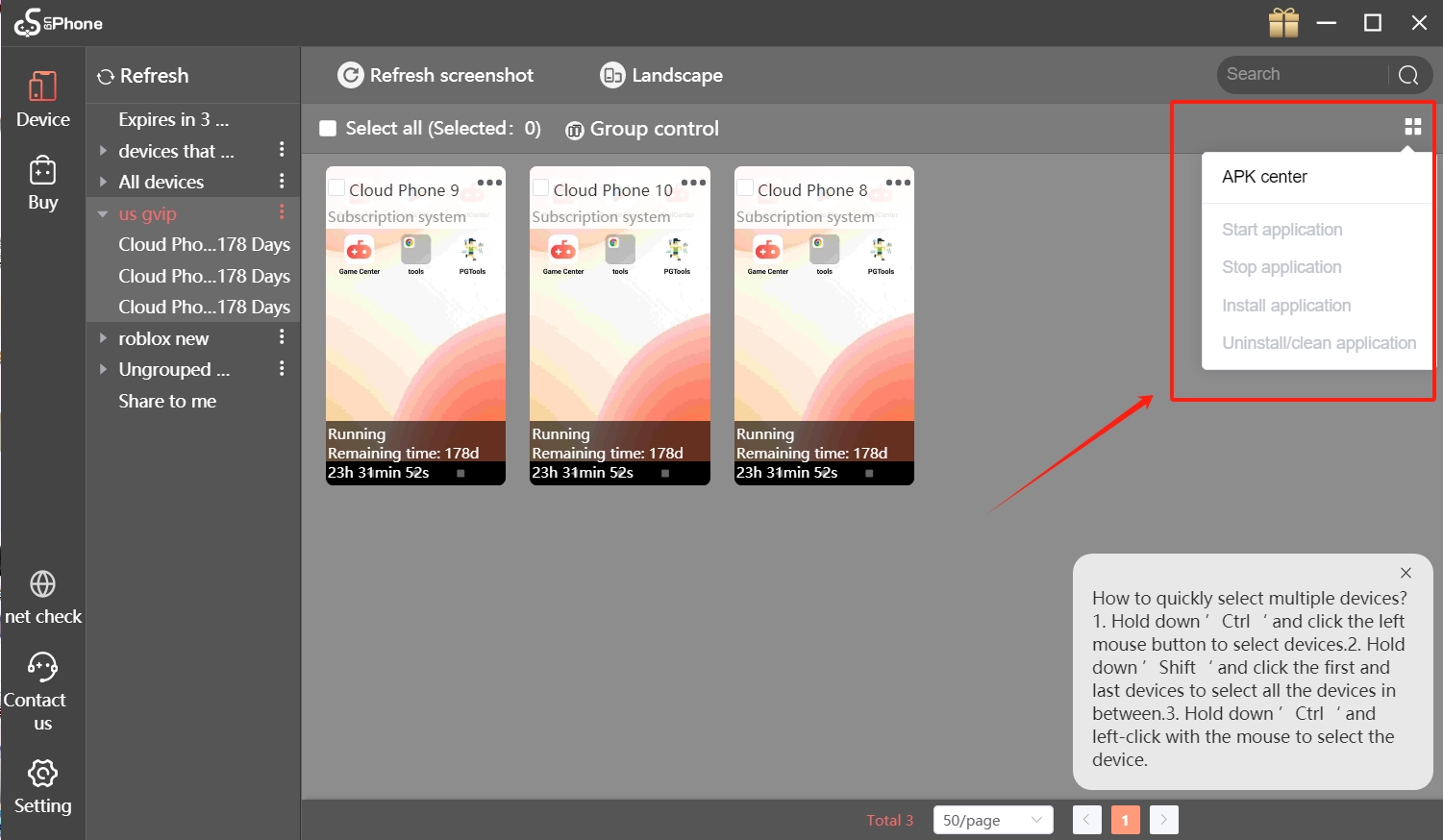
After logging into UgPhone, you can see the APK Center entrance on the right side of the icon.
What is the use of APK Center?
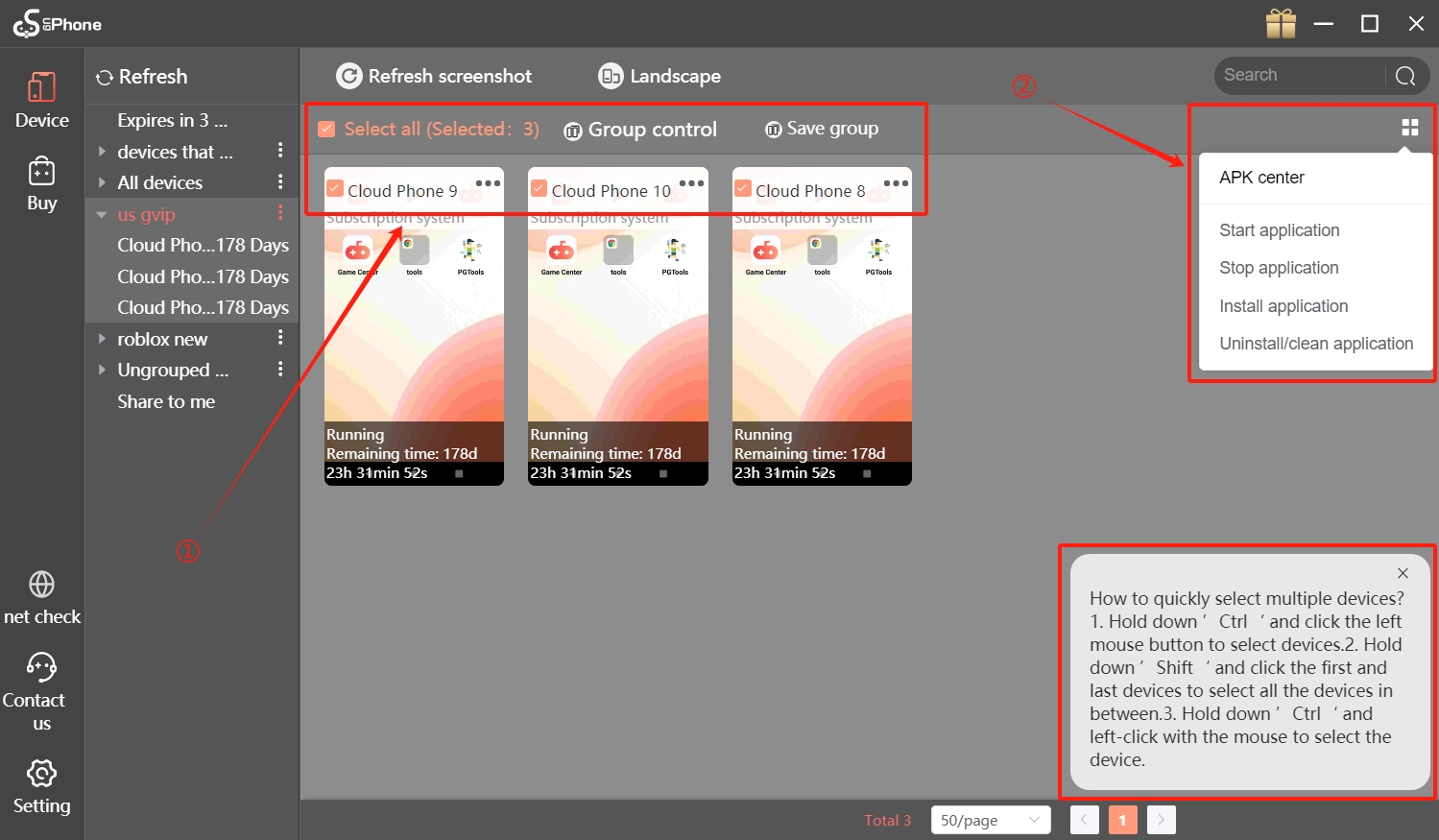
1. Start/stop/install/uninstall apps on multiple devices with one click
First, select the device you need to operate. If there are too many devices, you can refer to the shortcuts in the lower right corner to operate.
Then, click APK Center to select the operation you need.
2. Two convenient ways to install apk
① Import apk files from outside the app
First, prepare the apk file from your computer
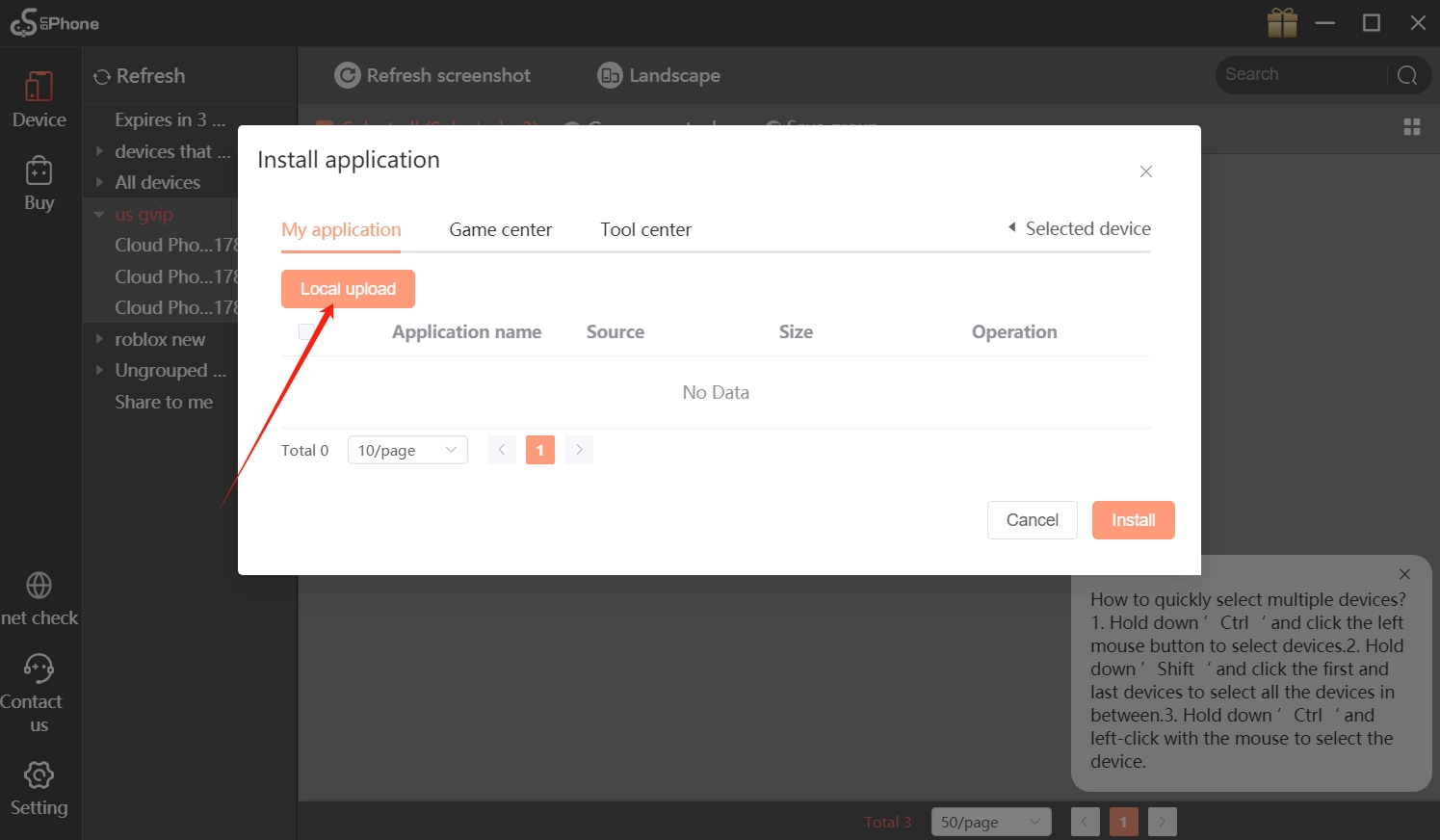
Then, select the device and click Install application in APK Center
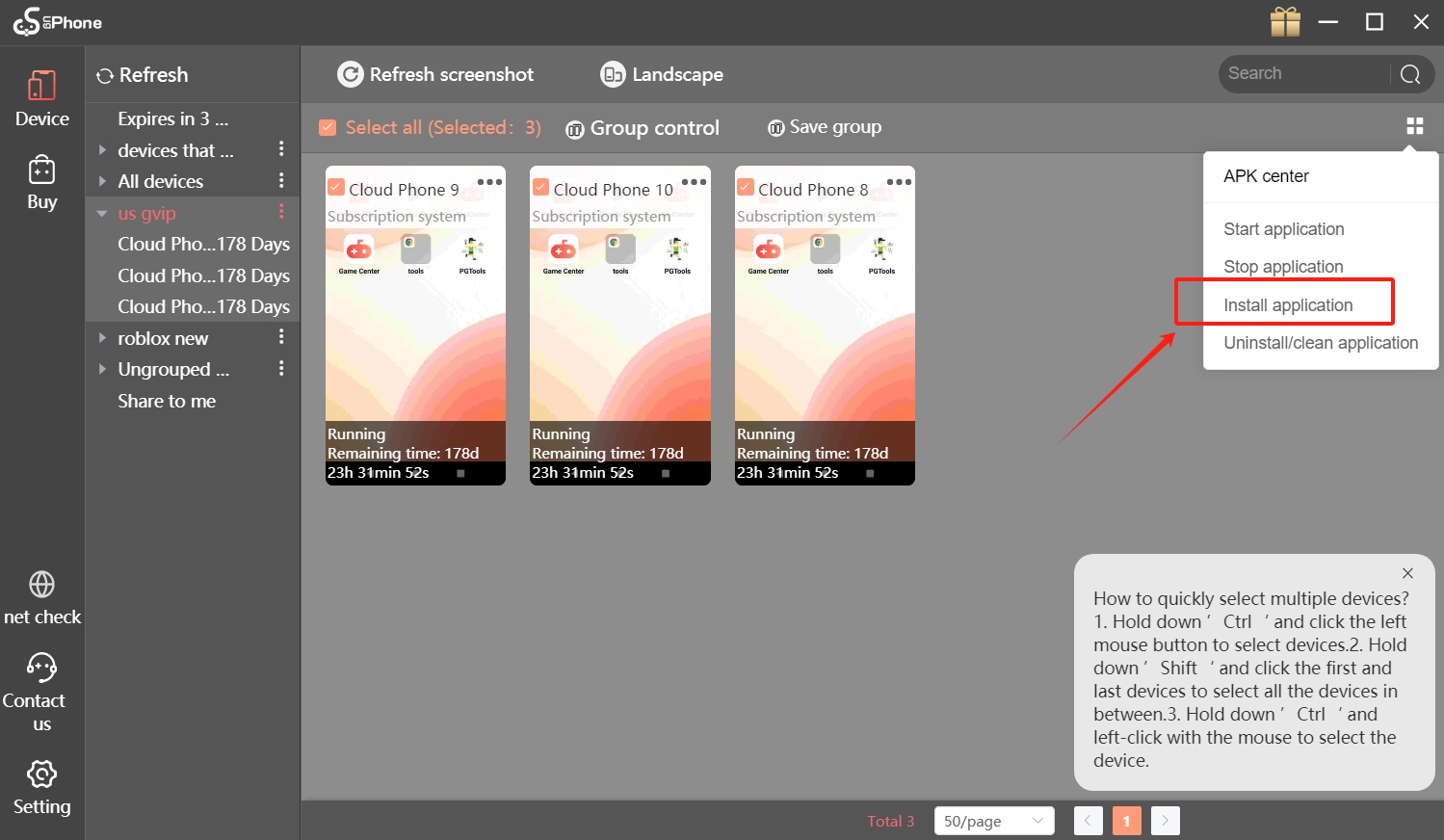
Click local upload to upload your local apk file
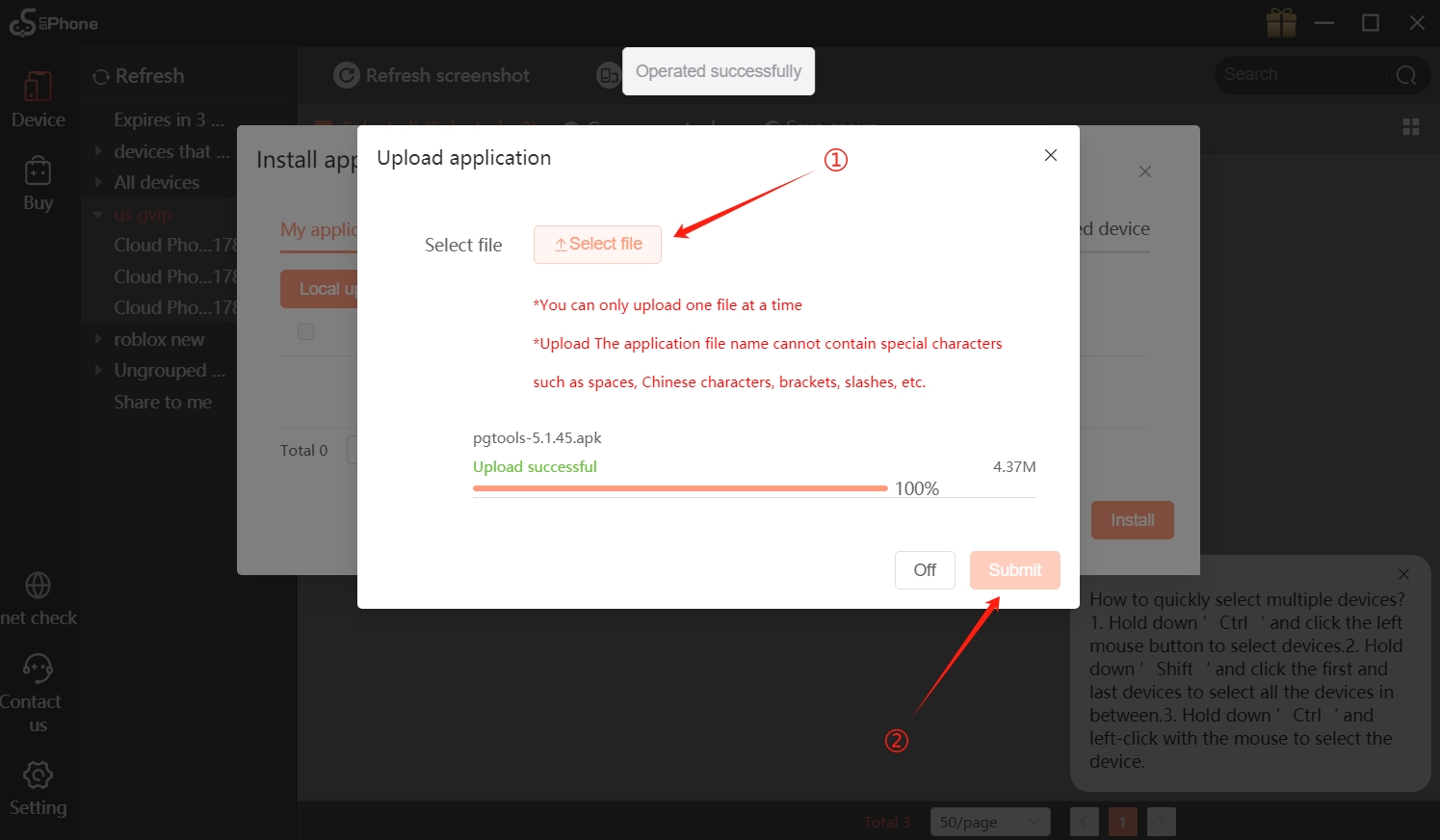
Click select file to select your file, then click submit button to upload
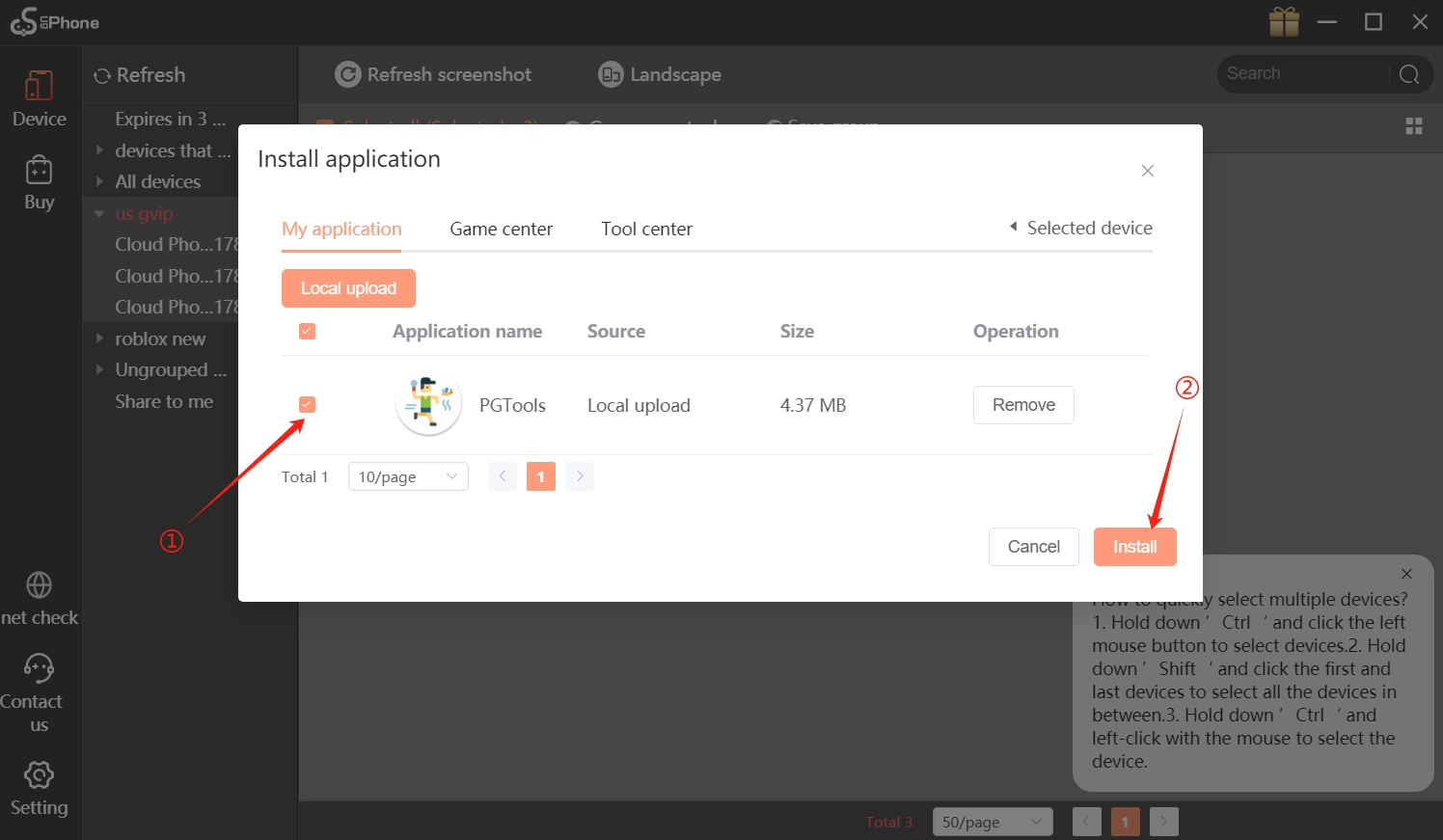
Close all pages and reopen them, you will see the file you uploaded, click it and you can install it with one click.
②Install apps from Game Center and Tool Center
First, find the app you want to install in Game Center or Tool Center
Select the region, click the Add button, and then click the Confirm button
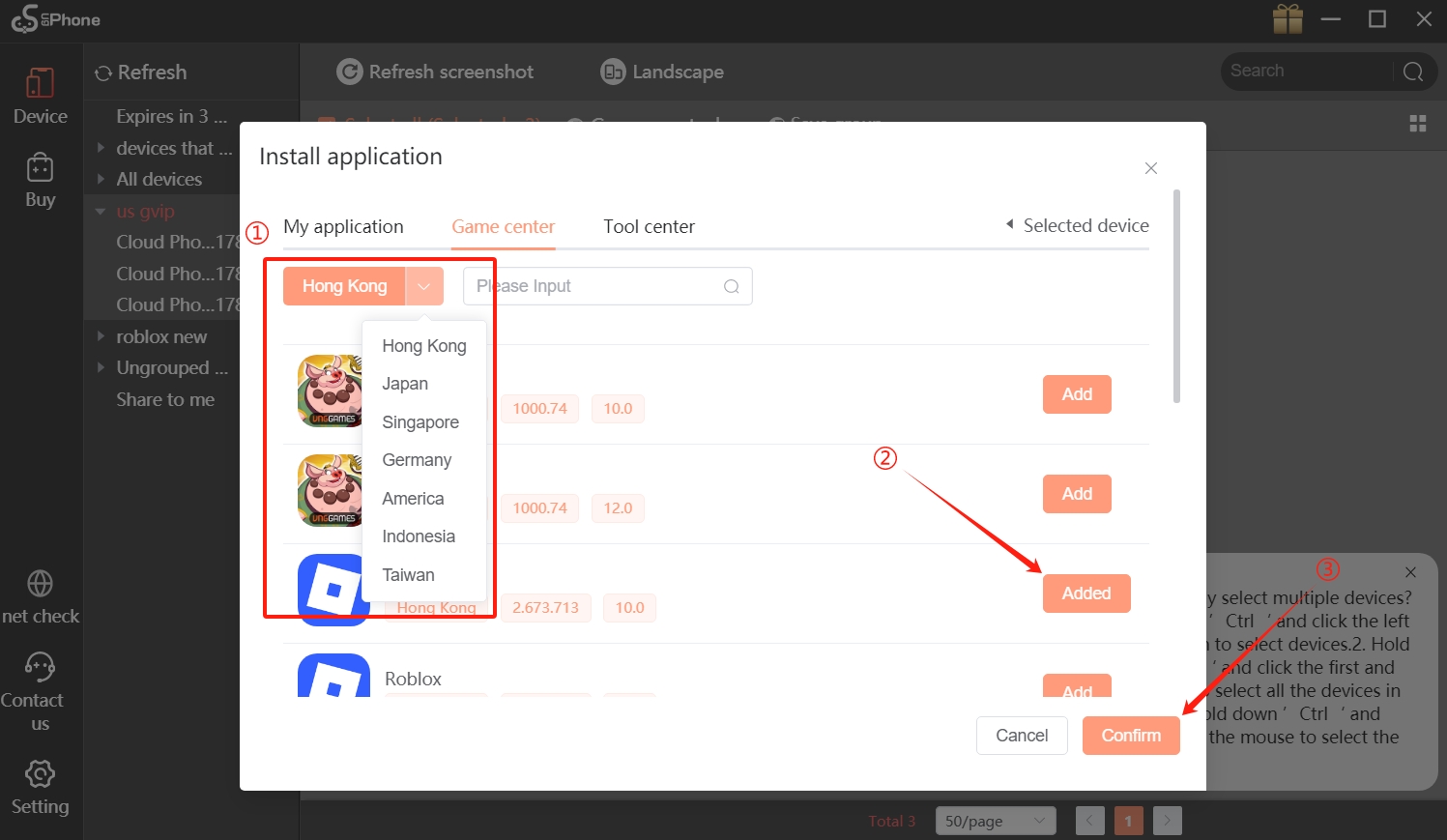
Then, return to my application, select the application you want to install, and click the install button to complete the installation.
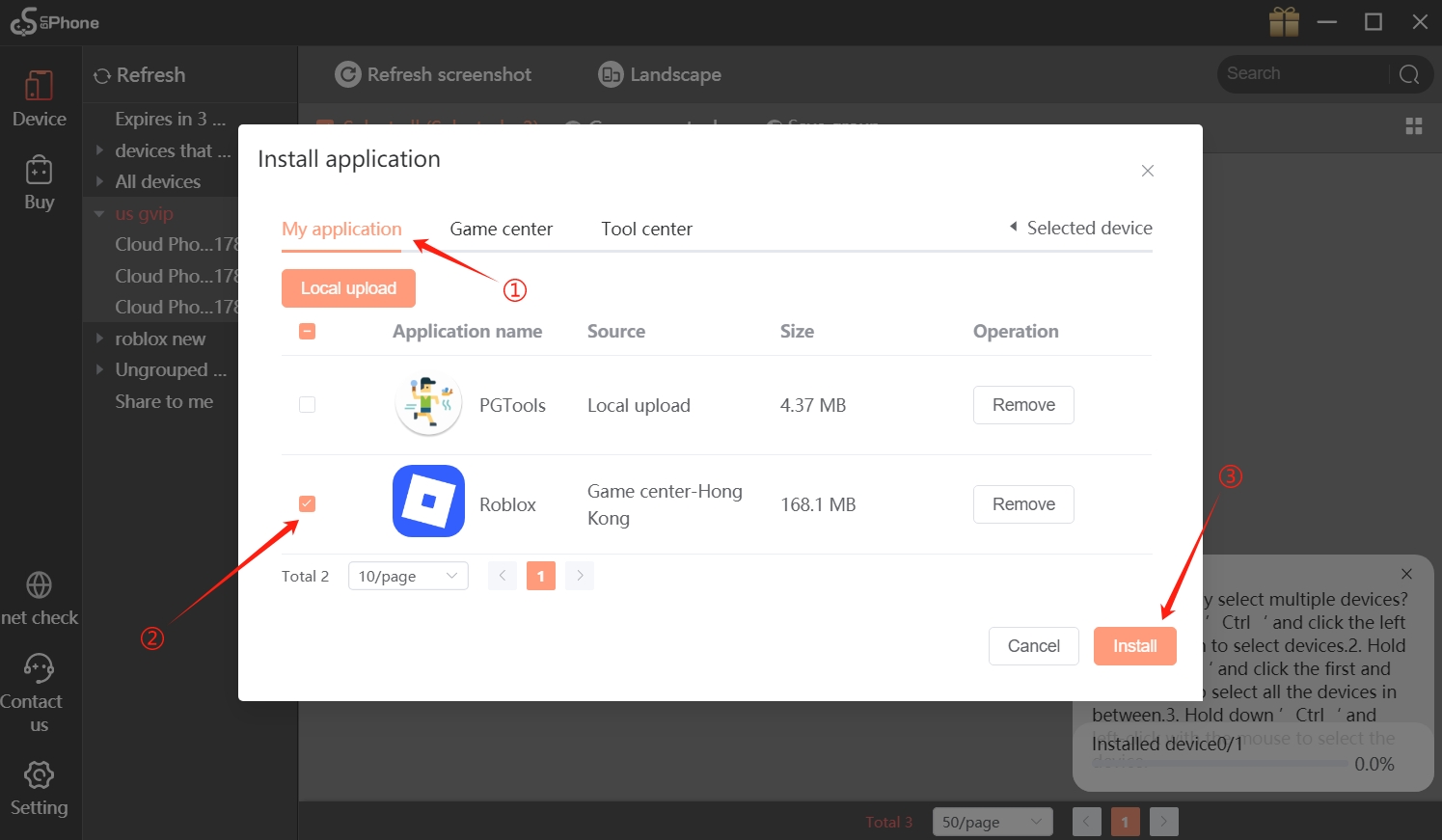
In addition, we have optimized the operation of the app:
How to quickly select multiple devices?
1.Hold down’ Ctrl 'and click the leftmouse button to select devices.
2.Holddown’Shift 'and click the first andlast devices to select all the devices inbetween.
3.Hold down’Ctrl 'andleft-click with the mouse to select thedevice.
What if you don’t like this version and want to roll back?
On the official website, we have kept the old PC installation package. You can uninstall it and reinstall the old package.
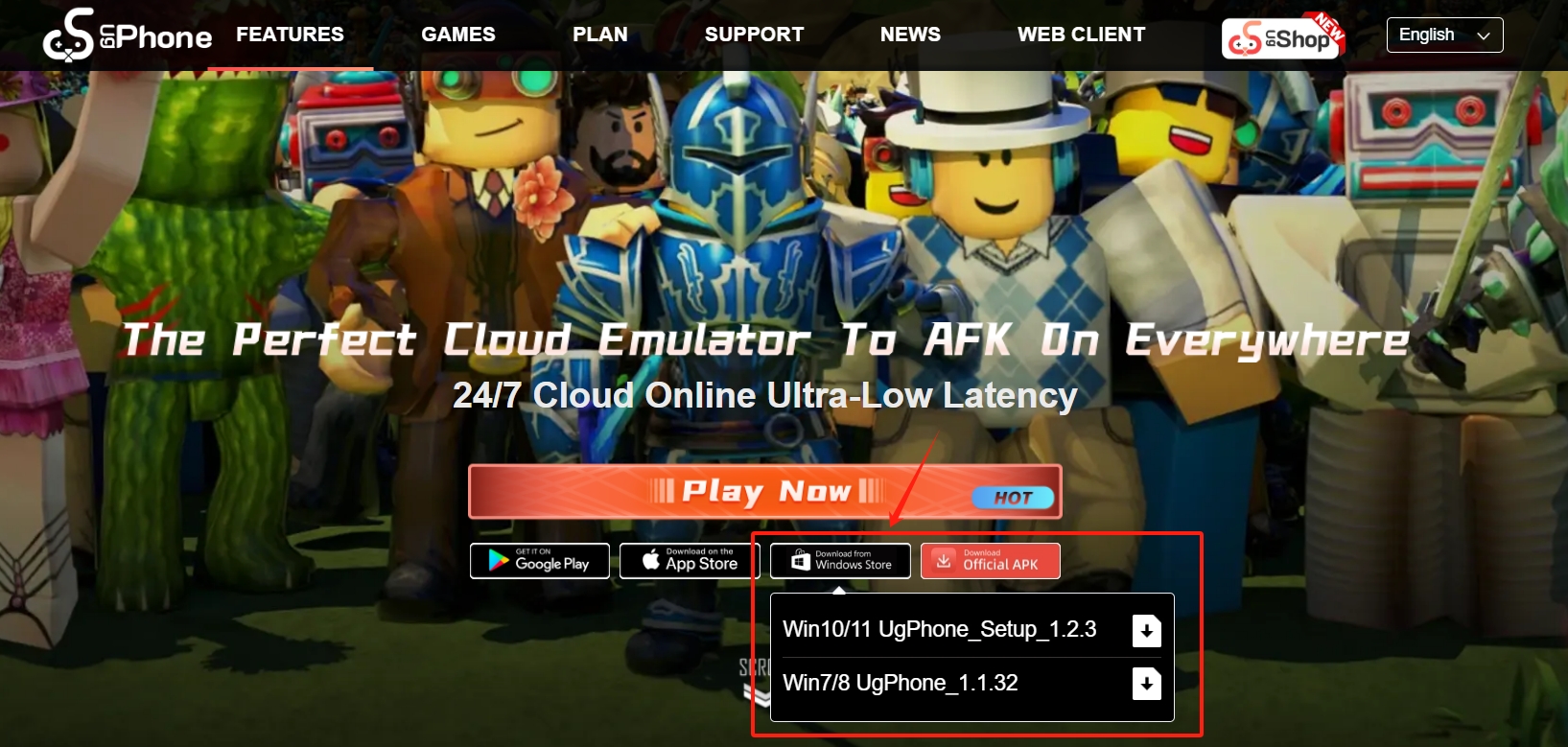
For more detailed operations, please check out the video below:
Come and download it to experience it!