How to Renew your Devices in Batches?
Good news, UgPhone has launched the function of batch renewal of devices. If you have purchased a large number of devices on your account, you can try this new function on the web page!
Please note that this feature is currently only available on the web. The specific steps are as follows:
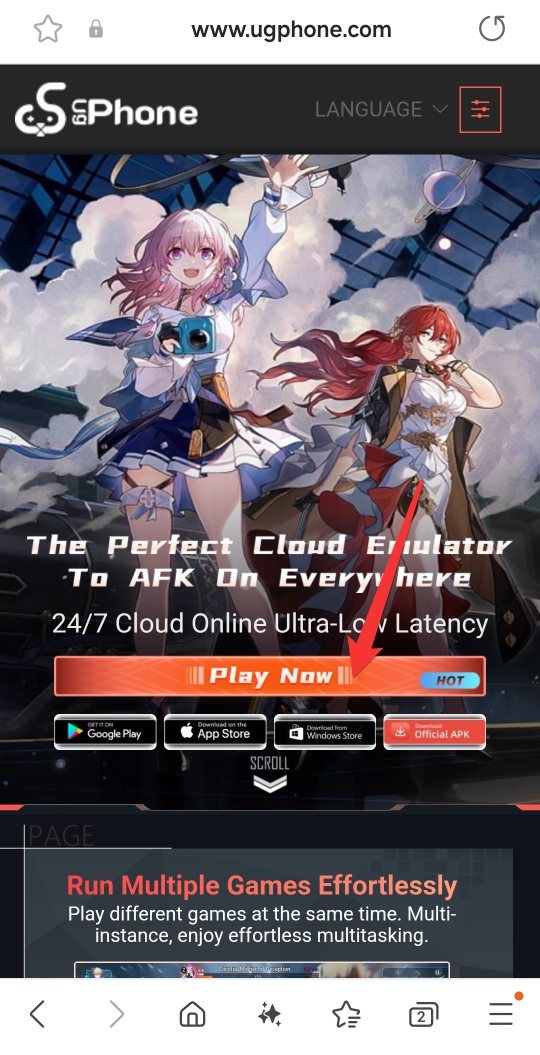
1.Search UgPhone in your browser and open the official website.
Official website link: www.ugphone.com
Then click the “Play Now” button.
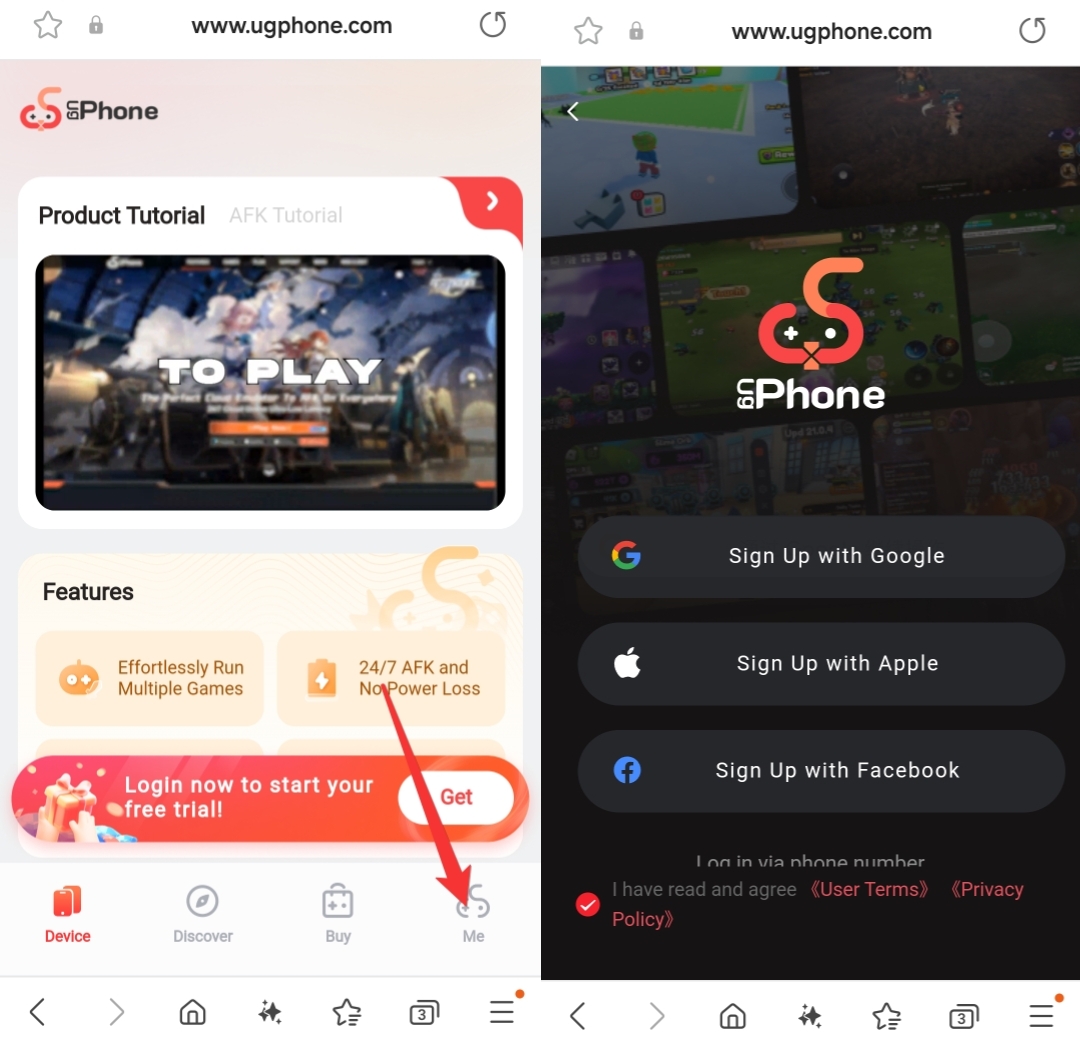
2.Log in to your UgPhone account via Google, Facebook or Apple ID.
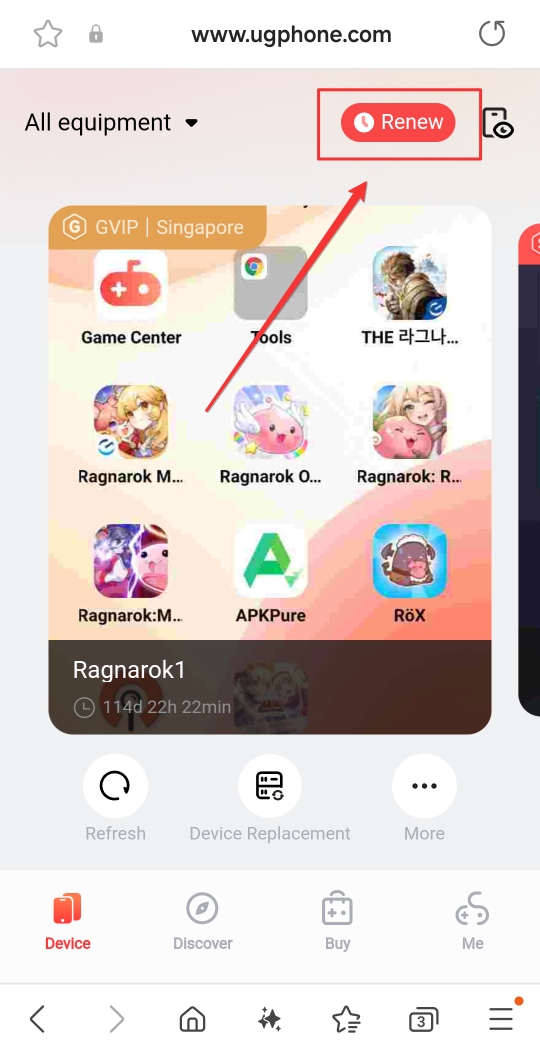
3.Click the “Renew” button at the top of the homepage.
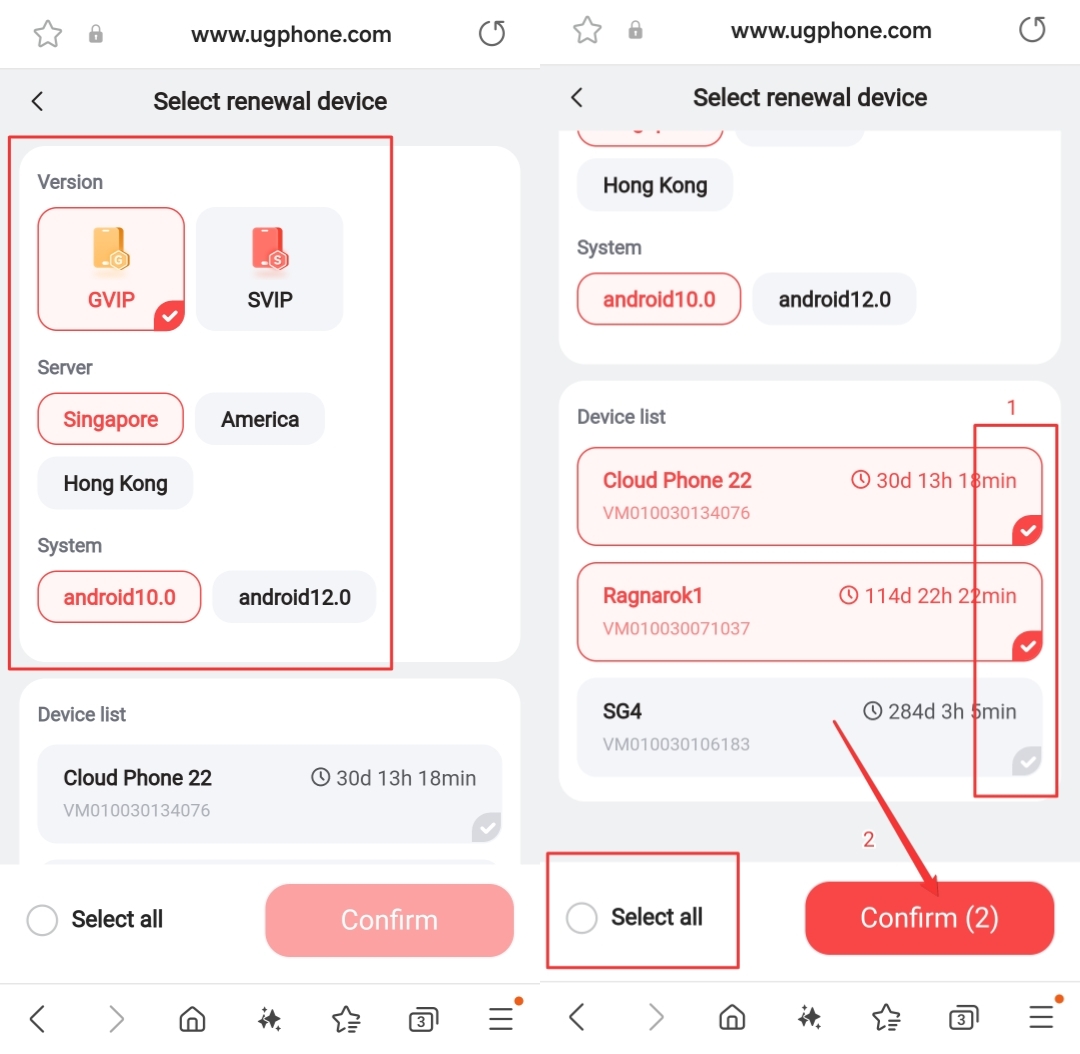
4.Operation items on the Renew page.
First, select the version, server, and system of the device you want to renew.
Then, select the device ID you want to renew in batches. You can also select all directly.
Finally, click the “Confirm” button to enter the payment page.
5.Complete payment and wait for renewal to succeed.
After confirming your order, select a payment method to make payment.
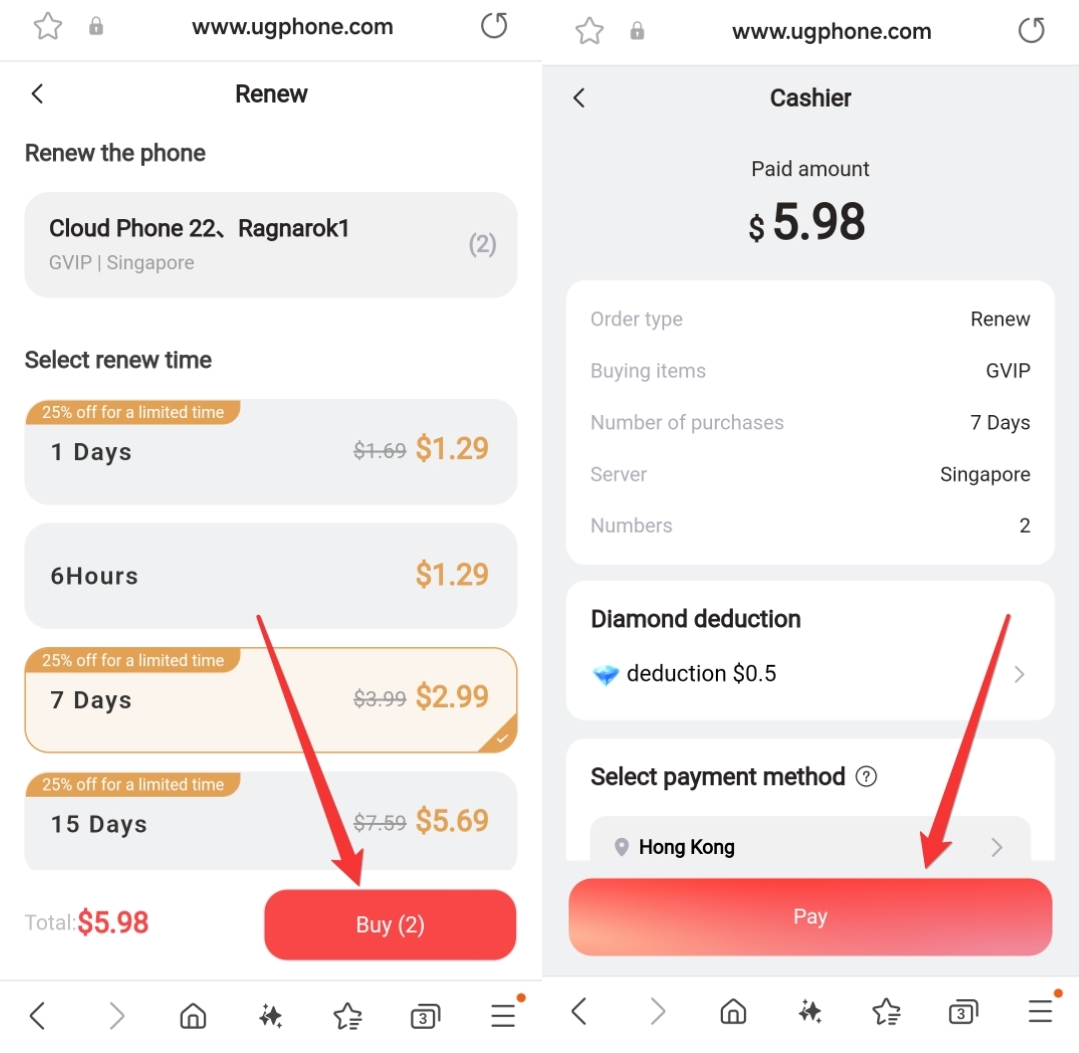
Please wait patiently for the payment to be completed. If you encounter any problems, please contact customer service for help.
Come and download UgPhone now!