


How to Choose a Cloud Phone: 2025 Tech Guide & Practical Standards

With the growing demand for mobile gaming and remote work, users now expect higher stability, performance, and hassle-free operation. Cloud Phones are gaining popularity thanks to their remote computing power, cloud hosting, and multi-device synchronization, offering a smarter and more efficient solution.
In 2025, with mature technology, widespread internet access, and increasingly affordable cloud infrastructure, cloud phones are no longer just niche tools. They are evolving into valuable solutions for both casual gamers and tech enthusiasts. In this guide, we’ll break down the key standards for selecting a cloud phone—helping you make the right choice from a crowded market.
I. Key Standards: What to Look for in a Cloud Phone
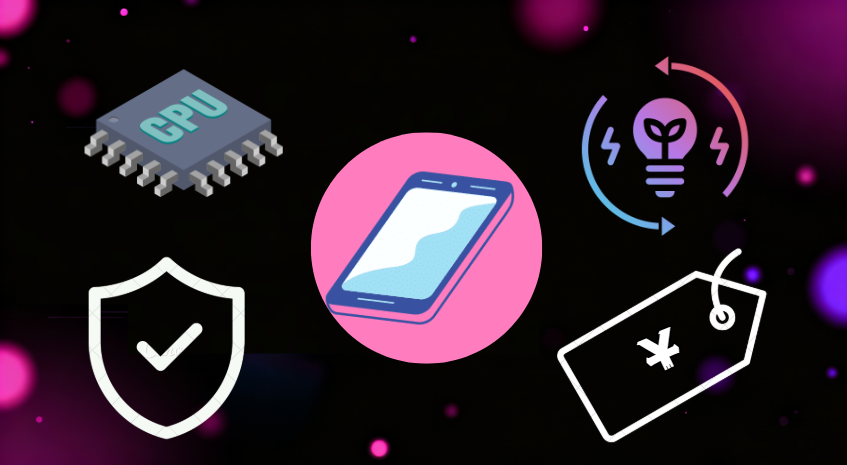
1. Performance vs Latency
- Processor speed & VM resource allocation: Virtual CPU, memory capacity, and overall computing power are critical for heavy workloads.
- Network transmission & node latency: If using across countries or far from the data center, ensure server nodes are nearby or selectable for fast, smooth access.
2. Multi-Account & Multi-Instance Support
- ● Can a single account launch multiple instances at once? Perfect for multitasking, farming, or running multiple apps simultaneously.
- ● Is account switching seamless? Does it support group control (batch management)? These greatly improve efficiency.
3. Background Operation & Energy Saving
- ● Can the cloud environment prevent overheating and excessive battery drain on your local device?
- ● Will apps or games be forced into sleep due to local power-saving features? A reliable cloud phone should avoid these interruptions.
4. Security & Privacy Protection
- ● Are data transmission and storage encrypted? Are backup and recovery options available?
- ● Is authentication robust (e.g., two-factor login, cross-platform security settings)?
- ● Are privacy and data protection policies transparent in the terms of service?
II. Common Pitfalls: What Happens If You Choose Wrong?
- ● Limited nodes or unstable networks can cause frequent disconnections, severe lag, or delayed responses.
- ● Insufficient VM resources lead to choppy graphics and poor user experience.
- ● Weak multi-account support makes switching accounts tedious and time-consuming.
- ● Poor security leaves accounts vulnerable to hacking or data leaks.
- ● Buying or subscribing without a free trial may waste money and resources if the service doesn’t fit your needs.
III. Recommended Solution: Why UgPhone Stands Out

Among many cloud phone providers, UgPhone stands out for its balance of technical performance and user experience:
- ● Global data centers and nodes ensure low latency and stable connections.
- ● Supports multiple instances and multi-account operations, perfect for gamers or app managers.
- ● Strong cloud computing capabilities minimize load on local devices, preventing overheating and battery drain.
- ● Excellent security with account protection, data backup, and recovery mechanisms.
- ● Generous free trial periods allow thorough testing before committing.
IV. How to Get Started with UgPhone (Step-by-Step Guide)
Here’s a simple walkthrough to quickly set up UgPhone and see if it meets your needs:
Step 1: Download, Install & Register
Visit the*UgPhone Cloud Phone*official site or app store, download the client, and complete registration. Supports multiple platforms for easy setup.
Step 2: Log In & Launch Cloud Instances
Sign into your Roblox or other game accounts and start one or more cloud instances for parallel multi-account usage.
Step 3: Configure Automation & Farming Strategies
Use built-in auto-clickers, scheduled actions, or scripts to handle repetitive tasks. Monitor progress while your characters keep running.
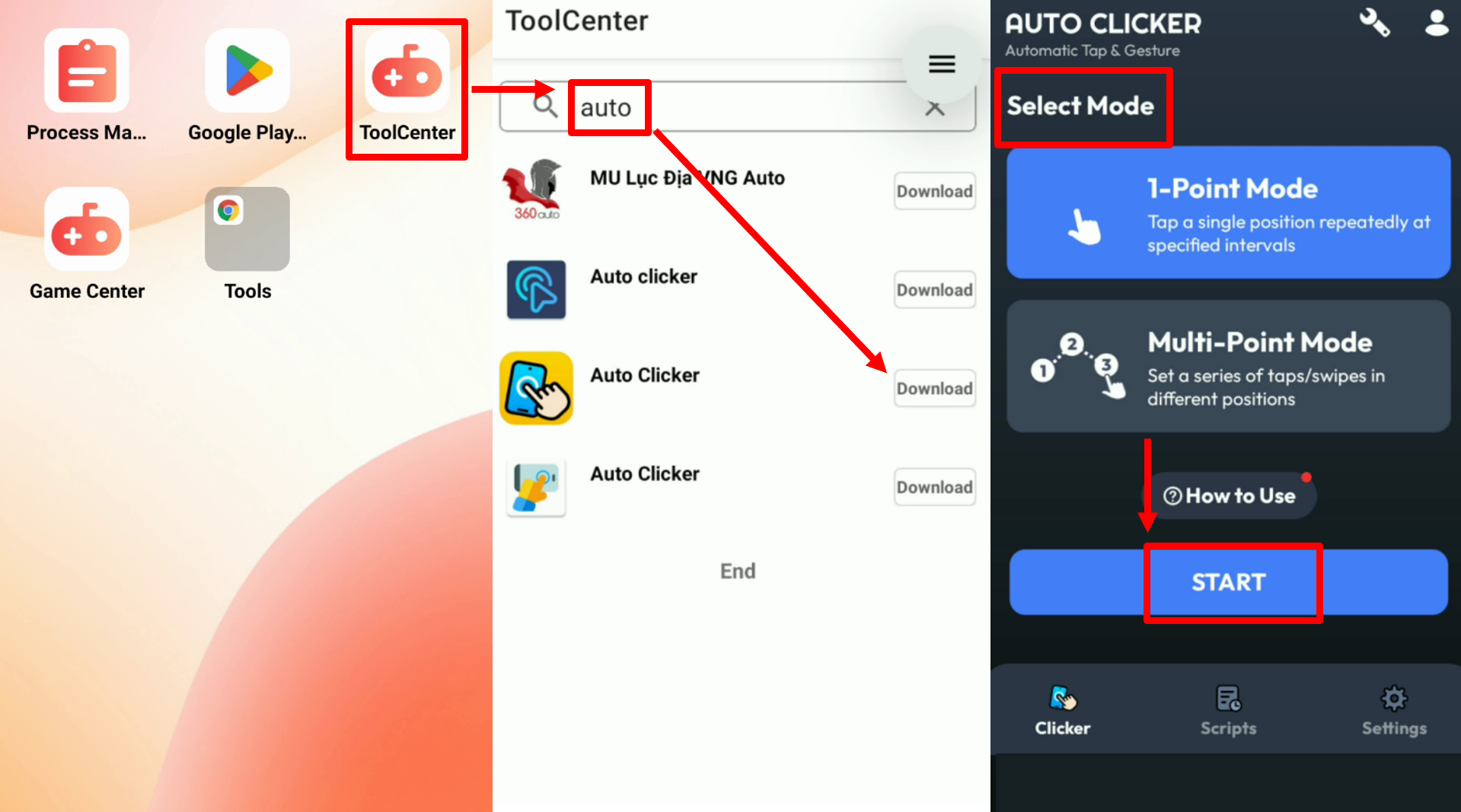
Advanced users can enable group control to manage multiple instances simultaneously—ideal for large-scale farming.
Step 4: Test Long-Term Stability
Run for several hours or overnight. Check for disconnections, forced shutdowns, or abnormal device heating.
Step 5: Evaluate Cost & Upgrade Flexibility
Review subscription fees, upgrade/downgrade plans, and costs after the trial period.
Final Thoughts: Make the Smart Choice
Choosing a cloud phone isn’t just about price—it’s about stability, latency, multi-account capability, and security. With so many options in the market, finding the right fit is crucial.
If you’re looking for a mature, stable, multi-instance-supported service with global nodes, I highly recommend UgPhone Cloud Phone. Test it with the free trial, measure its latency, stability, and account management features, and then subscribe once you’re confident.
👉 Experience the next generation of cloud phones today! Click here to try*UgPhone Cloud Phone* for free.









