Master Social Media Multi-Account Management: Make the Most of UgPhone Cloud Phone

1. Why Multi-Account Operations on Overseas Social Media Are Becoming Essential
In today’s global digital marketing landscape, managing multiple social media accounts has become a daily routine for cross-border sellers, influencers, and brand marketers alike.
Whether you’re running multiple Facebook pages to promote different product categories, or maintaining several niche-focused Instagram or TikTok accounts, building an account matrix is now a key strategy to boost both exposure and conversions.
However, traditional management methods—such as browser multi-login extensions, split browsers, or even multiple physical devices—are increasingly showing their fatal flaws:
- High risk of account linking: Platforms like Facebook, TikTok, and Instagram can detect multiple accounts operating from the same device or IP, easily triggering risk controls that result in throttling or bans—especially damaging during the early growth stage of a new account.
- Low efficiency and time-consuming: Constantly switching account environments and logging in/out eats up valuable time.
- Limited functionality, no account “warming”: Standard browser isolation can’t simulate a real mobile device environment (IMEI, GPS, usage patterns), and lacks automation features essential for account nurturing.
- Data security risks: Storing multiple login credentials locally or in the same browser increases the risk of mass account compromise in case of a leak.
These problems don’t just waste time—they can halt campaigns, render ad spend ineffective, or even wipe out your account assets in an instant.
For example, if a seller relies on 50 Instagram accounts for traffic and 10 get banned, overall conversions could plummet by over 30%.
2. How Cloud Phones Are Disrupting Traditional Social Media Operations
A Cloud Phone is a virtual Android/iOS device running on remote cloud servers, offering the same operating environment as a physical smartphone—accessible from a PC or mobile device.
For cross-border social media management, cloud phones offer three irreplaceable core advantages:
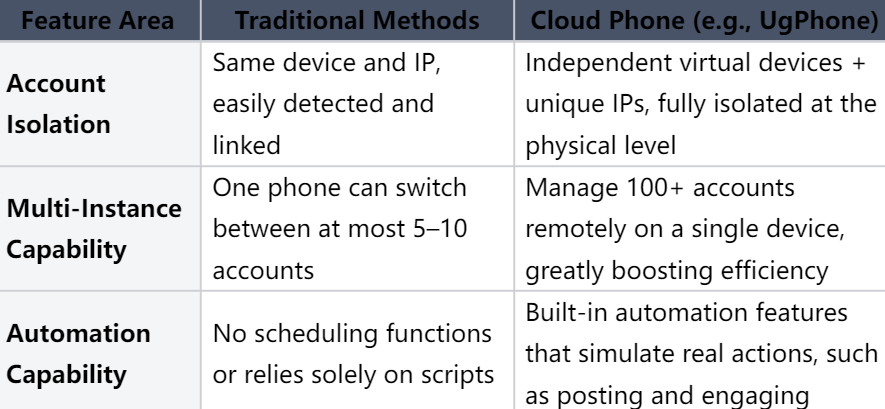
3. UgPhone: A Cloud Phone Solution Designed for Overseas Social Media Multi-Accounts
Among the many cloud phone products available, UgPhone stands out for being purpose-built for social media account nurturing and matrix marketing.
From its underlying architecture to every feature detail, UgPhone is tailored to meet the real-world needs of social media operators.
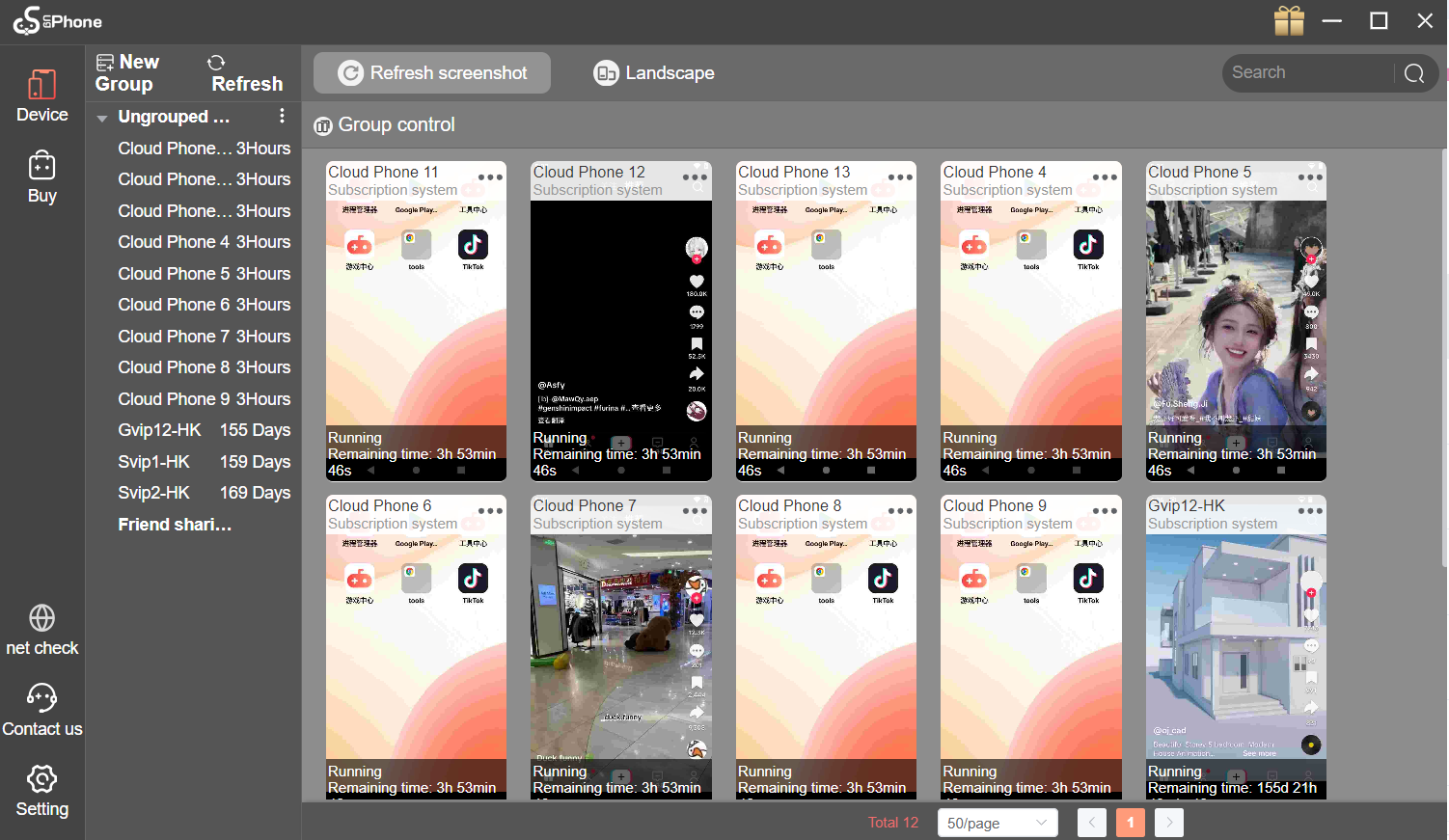
1. True account isolation and unlimited multi-instance support
UgPhone lets you run unlimited virtual devices, each with a unique device fingerprint (IMEI, MAC, Android ID) and a dedicated IP—making it impossible for platforms to tell they’re operated by the same user.
2. Enterprise-grade anti-linking measures to minimize bans:
- Dynamic residential IP allocation: Each device gets a unique residential IP, simulating a real home network—far superior to data center IPs.
- Encrypted communication: All data is encrypted, ensuring your credentials and operations remain private and safe from leaks.
3. One account, one IP—building high-trust social media assets
UgPhone enforces a strict one-account-one-IP policy, ensuring long-term IP stability for each account. Since platforms are highly suspicious of accounts that frequently change IPs, UgPhone’s IP persistence helps build “trust scores” over time.
4. Why Choose UgPhone Over Other Cloud Phones?
While the market is full of cloud phone solutions, UgPhone has clear advantages that make it the go-to choice for serious social media operators:
- Higher-quality IPs: Uses genuine residential IPs, not overused shared IPs, making them harder to detect.
- User-friendly interface: Simple, intuitive control panel—no technical expertise required to create virtual devices and set up tasks.
- Flexible, affordable plans: Monthly, quarterly, and yearly packages available, with bulk discounts for enterprise accounts, plus free trial options.
- 24/7 customer support: Round-the-clock assistance for usage guidance, troubleshooting, and platform compatibility.
5. How to Start Managing Multiple Accounts with UgPhone in 3 Steps
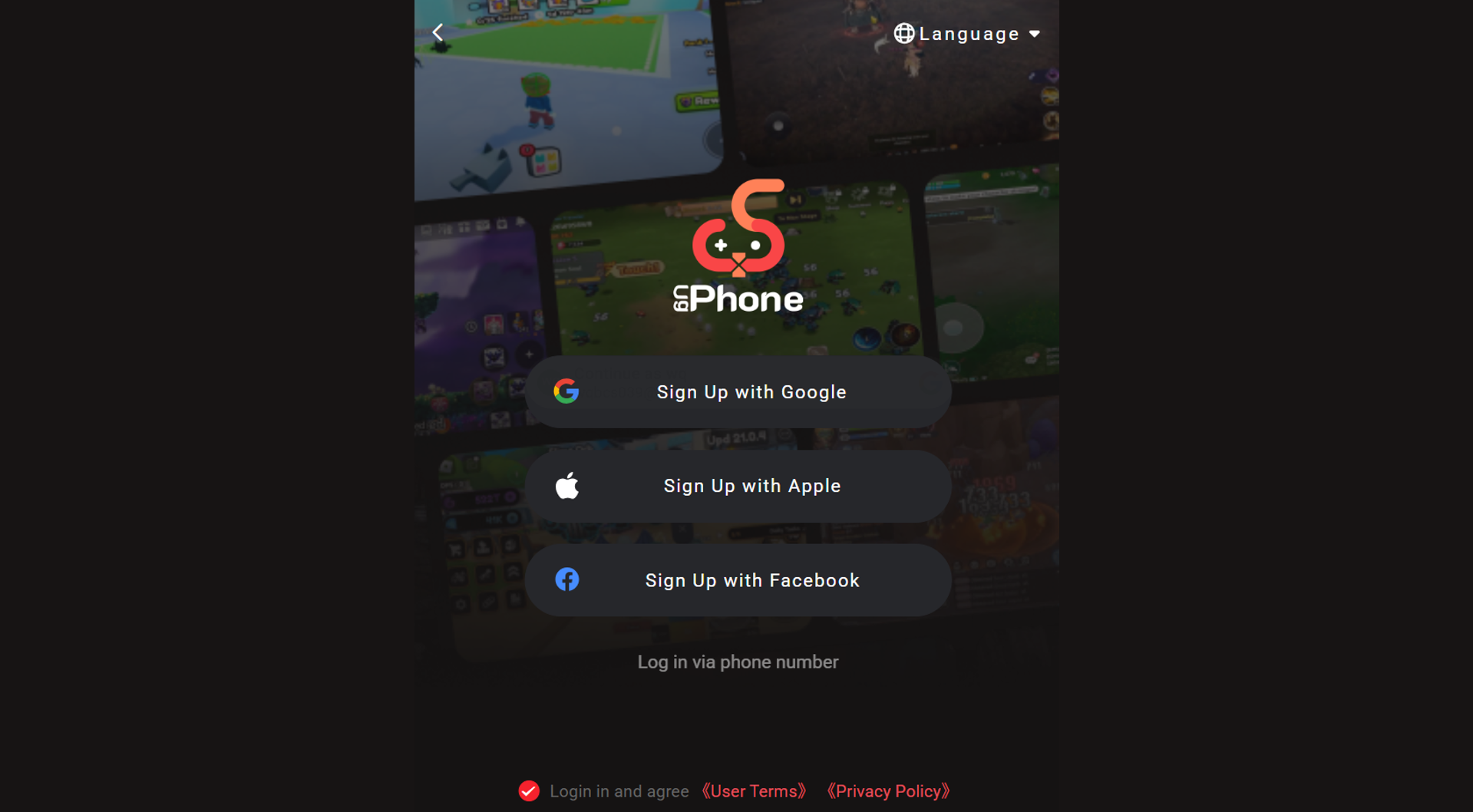
1.Register and download the client: Visit*UgPhone Cloud Phone*, create an account, and download the UgPhone client.
2. Create a virtual device: Click “New Device” and customize settings such as system language, model, and IP location.
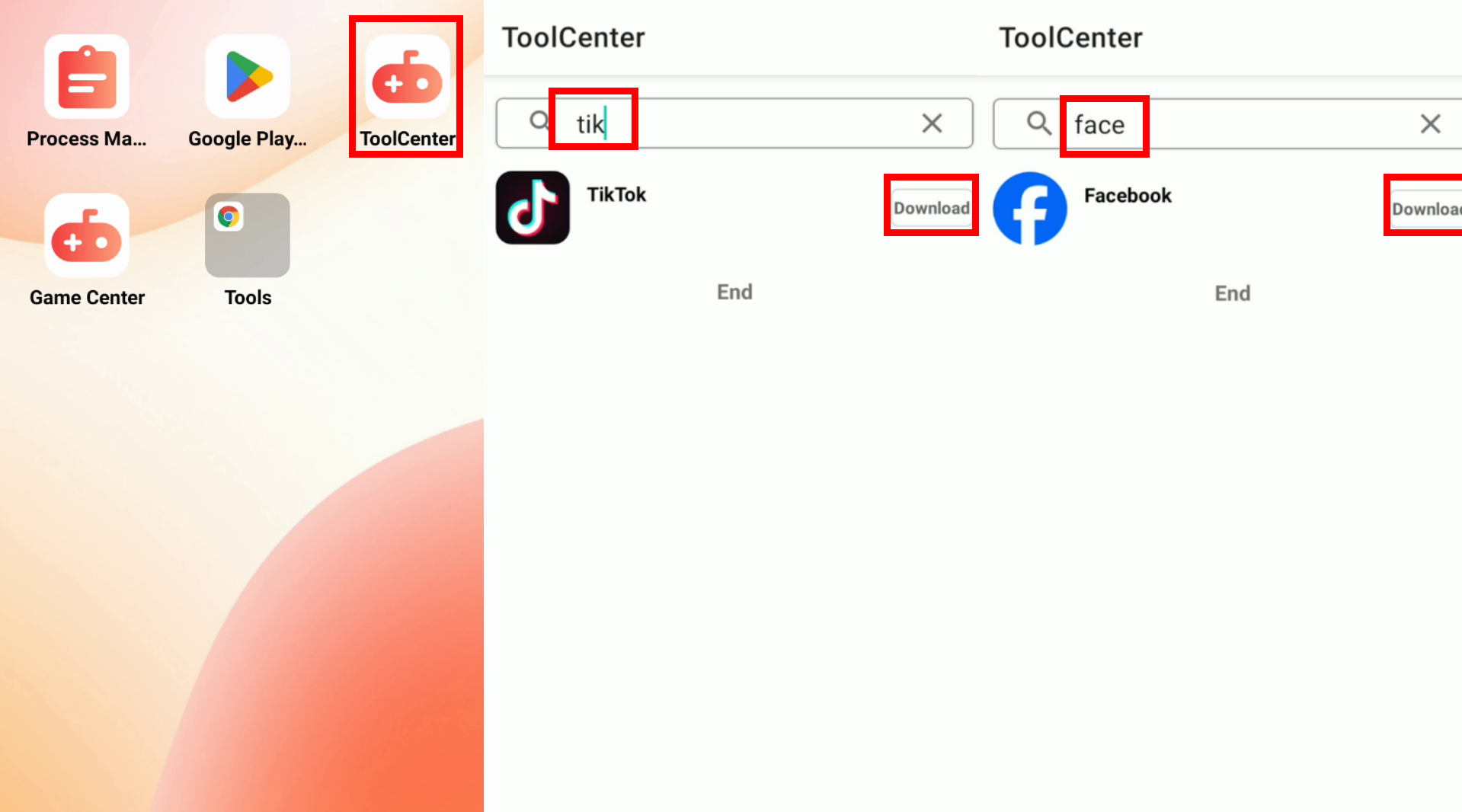
3. Install social apps and log in: Through group control, install platforms like TikTok, Instagram, etc., via each device’s Tools Center or Chrome browser, then log in to your target accounts.
You can also set automated tasks such as “Post daily at 9:00” or “Auto-like every 2 hours” to boost account nurturing efficiency.
In the competitive battlefield of overseas social media matrix marketing, multi-account management has become standard.
But when it comes to truly avoiding bans, nurturing accounts, automating operations, and reducing costs, nothing matches UgPhone.
It not only eliminates account linking risks but also helps you build a sustainable, scalable, and replicable social media growth system.
Visit*UgPhone Cloud Phone* now to claim your free trial and kickstart your multi-account growth journey!
Interested? Watch the tutorial video below to get a 30-day UgPhone GVIP trial: