How to Invite Friends and Get Free Trial
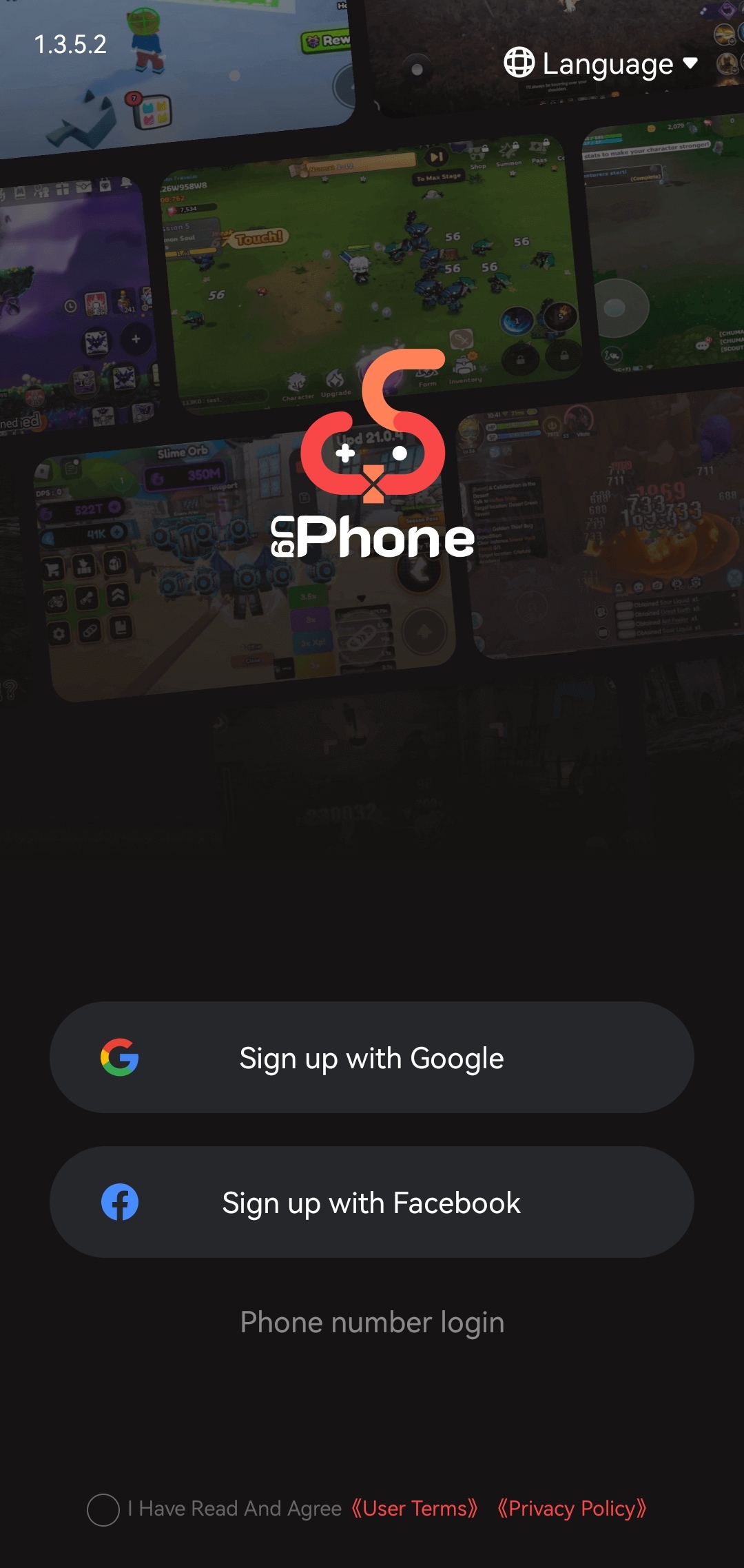
Where can I find ugPhone?
You can find our APP to official website or GooglePlay store and simply click the photos here:
Website:

Google Play:

What platform is available to register?
You can use Google (email) or your Facebook.
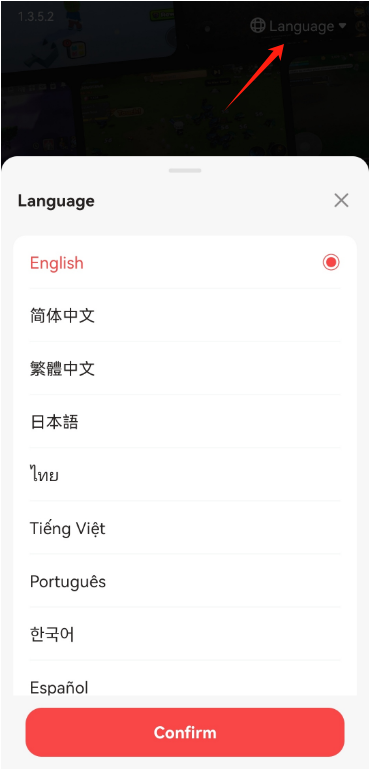
Can’t understand the language?
When you enter the registration page, the language of the page is not your familiar language, simply click the language on the upper right of the screen.
There is a “LANGUAGE” there where you can change language.
Invitation code
(Use the invitation code to log in to get 100 diamonds, which can exchange 8 hours for free!)
1.If you register with your mobile phone number, you can fill in the invitation code below the verification code.
2.If you register with Facebook or Google (email), here will be the next page, where you can fill in the invitation code.
Where to get the code?
(Share your invitation code with your friends, you will have the opportunity to get 220 diamonds!)
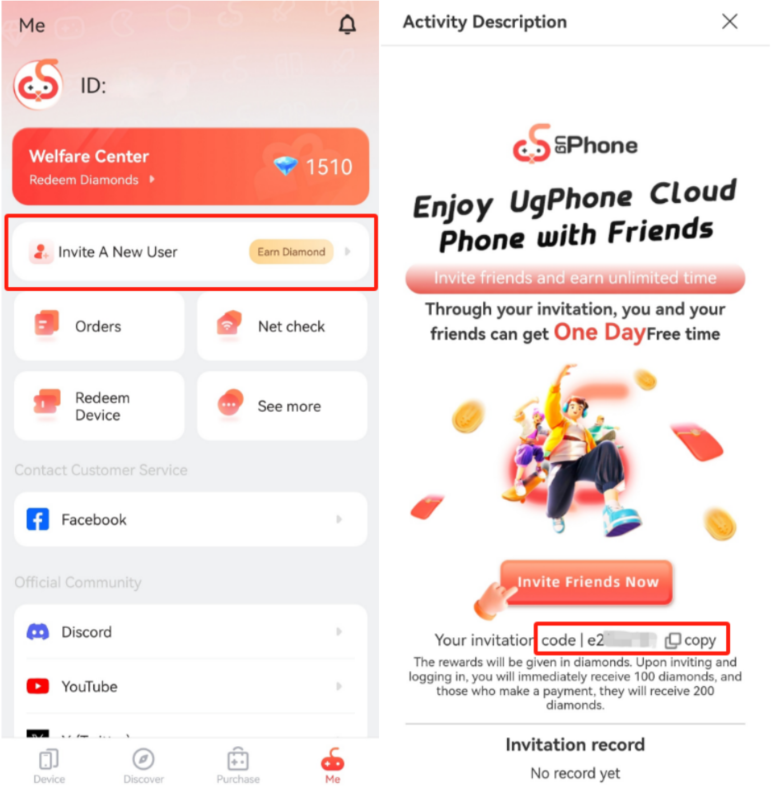
1.If you already have an account just go to “ME” below the page, where you can find “Invite A New User”, click to enter next page, and copy your invitation code under the “Invite Friends Now” button.
2.If you don’t have an account yet, you can find our staff or users in our community to get an invitation code and take part in the diamond Event!
👇Click this picture link to our Facebook Page👇

👇Click this picture link to our Discord group👇