How to register a ugphone account and receive a 4-hour free trial?

How to register an account?
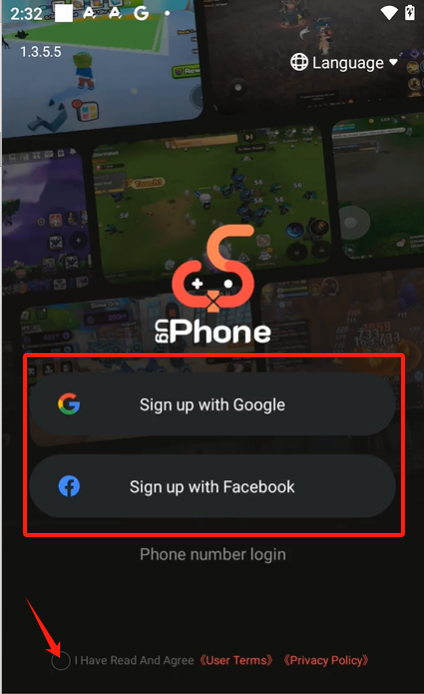
1.For Android users
You can register through Google / Facebook account, remember to choose the user agreement below.
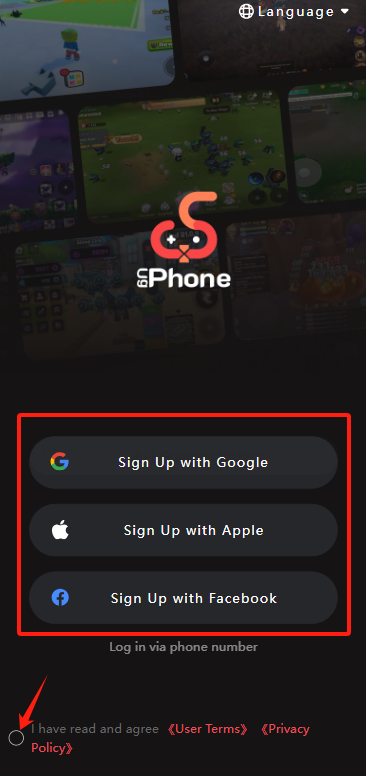
2. For IOS users
Click the picture below to enter the web page.

Then you can register through your Google / Apple / Facebook account, remember to choose the user agreement below.
3. For PC users
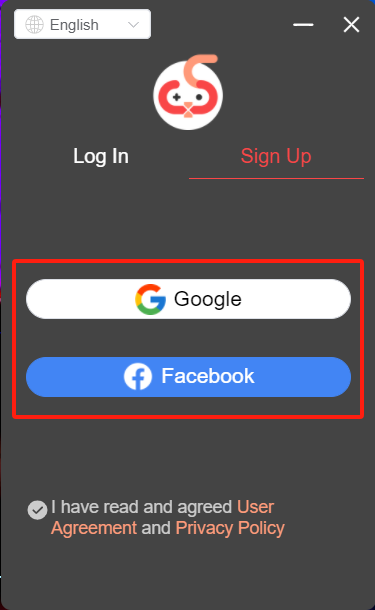
After opening the UgPhone app on PC, you can register through your Google / Facebook account.
Please note that the number of account registrations is limited, and each user can create up to 5 UgPhone accounts!
How to get a 4-hour free trial?
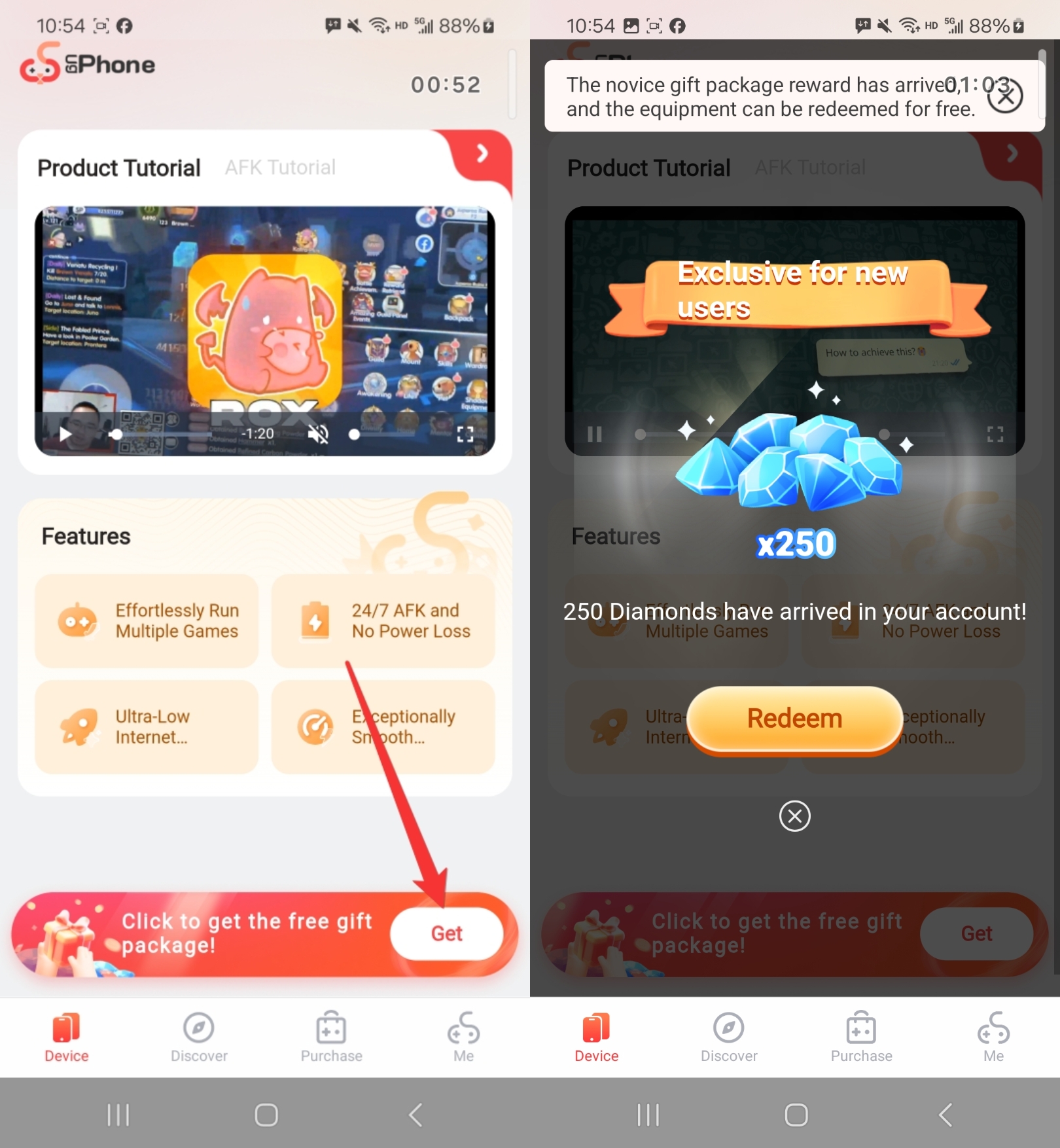
1. Get 250 diamonds for free
After logging into your account, you can see a banner at the bottom to claim the free gift.
Click “Get” button to get diamonds and redeem.
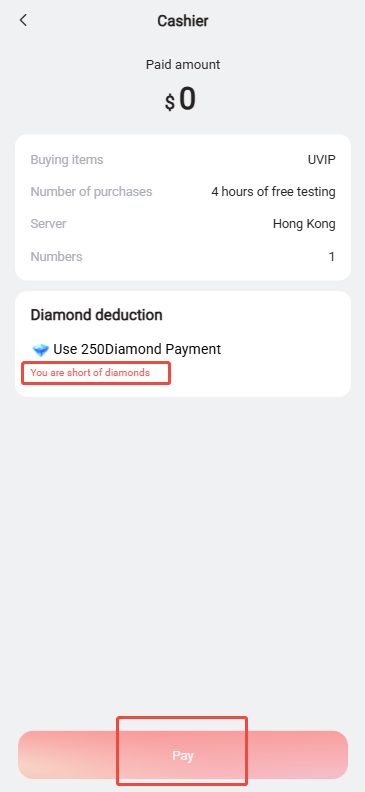
If you encounter this situation, it is because you have not successfully claimed the diamonds. You need to return to the homepage and click the banner below to claim the 250 diamonds.
2. Redeem free device for testing
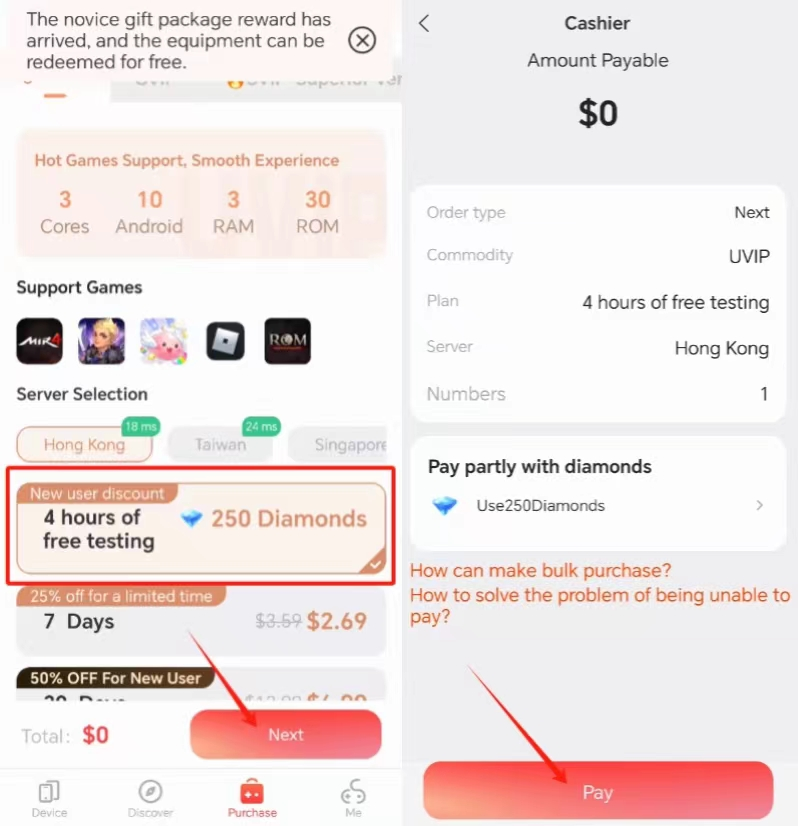
After jumping to the purchase page, you will see a package of diamonds for 4-hour test device.
After selecting the server, click the Next button to enter the payment step.
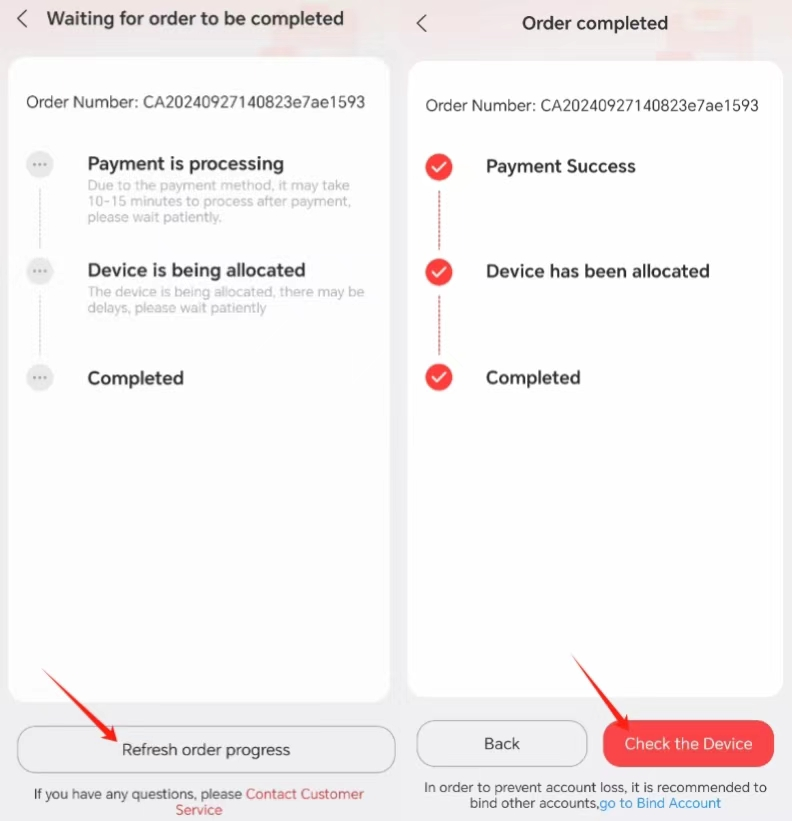
After payment, wait for device allocation and refresh the page to check the progress.
3. Check and set the test device language
If the assigned device language does not match, you can click the More button to enter the language change settings.
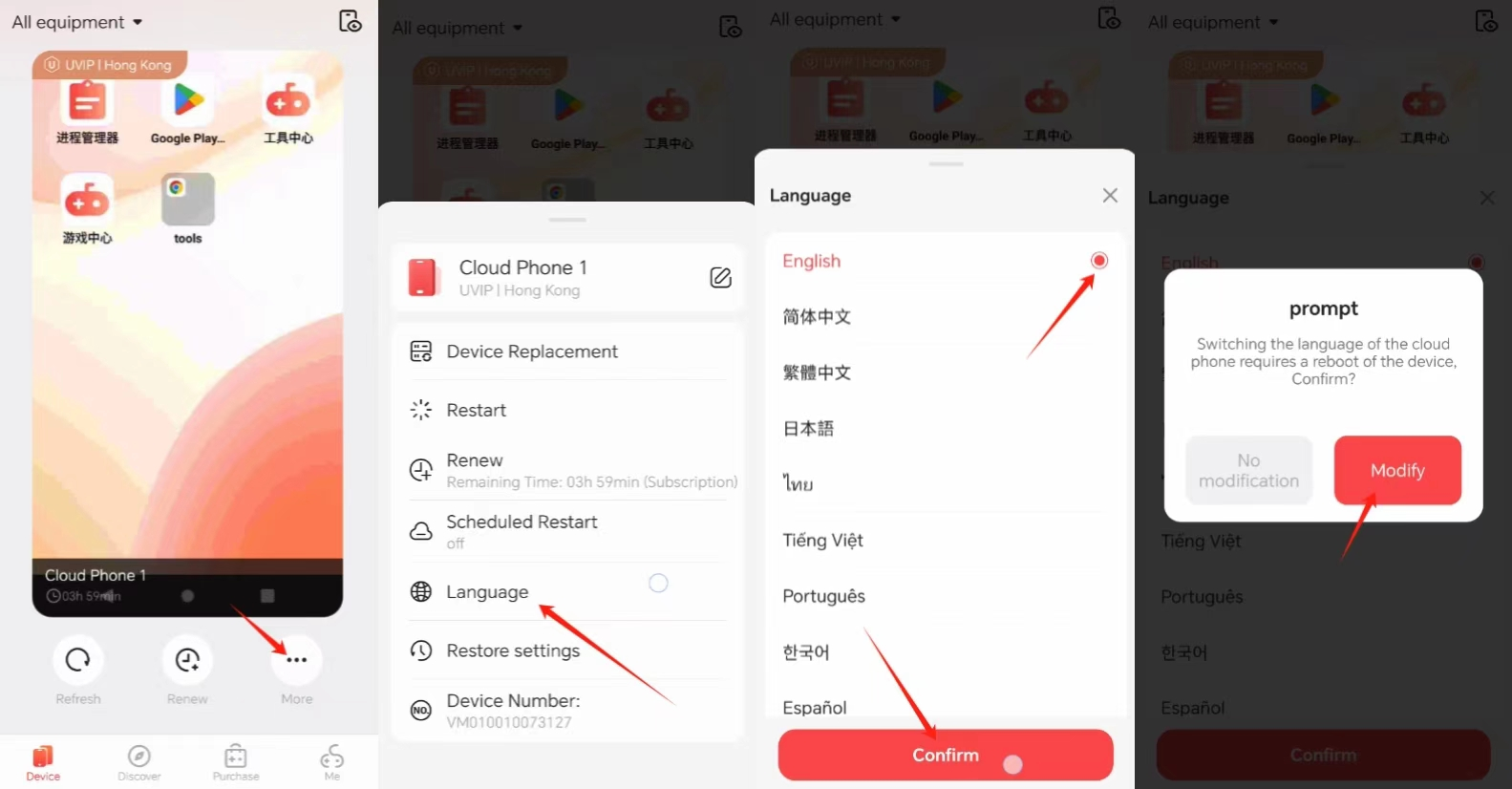
Then, start playing games with the test device!
After the 4-hour test over, you can choose to renew the device, or purchase other packages to continue to experience UgPhone!
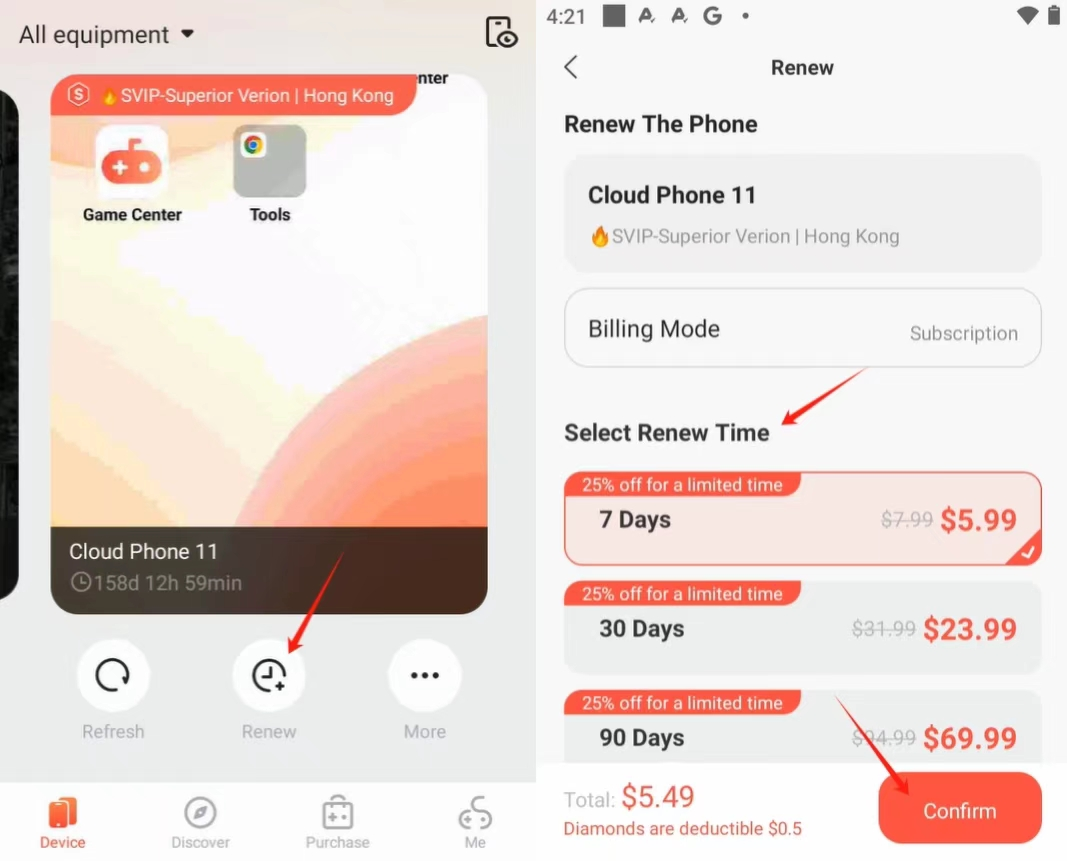
Renew device:
Click the Renew button below the device to enter the renewal page, select the time you want to renew and check out.
Purchase other packages:
You can directly click on the bottom navigation bar to enter the Purchase page.
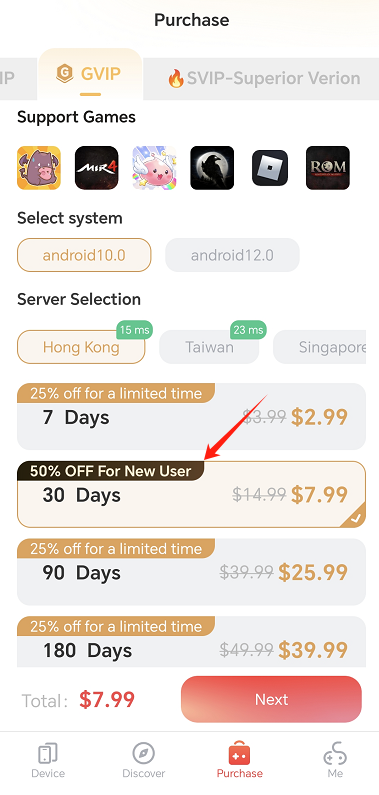
After entering the purchase page, you can choose three phone models: UVIP/GVIP/SVIP, and purchase different durations.
The three models have different performances, SVIP is the most stable phone model, and GVIP is the second.
There will be different discounts for purchasing packages of different durations, and new users will have an additional 50% discount!