


Fish It Latest Codes|Idle Gaming with UgPhone

Fish It on Roblox is a popular fishing simulation game. It combines a relaxed and casual fishing experience with a rich progression system, but many players still often encounter issues like resource shortages and wasted time during the leveling process. Don’t worry: this article summarizes the latest available Fish It codes for August 2025 and provides a step-by-step guide on how to claim your rewards. More importantly, it will also introduce a god-tier helper software, UgPhone Cloud Phone, to help you achieve AFK, free your hands, and level up with ease. It’s all in this article!
I. Fishing Bonanza: A List of the Latest Available Redeem Codes
Quick Check for Active Codes, for Easier Fishing
Below is a list of redeem codes that are still valid as of August 28, 2025:
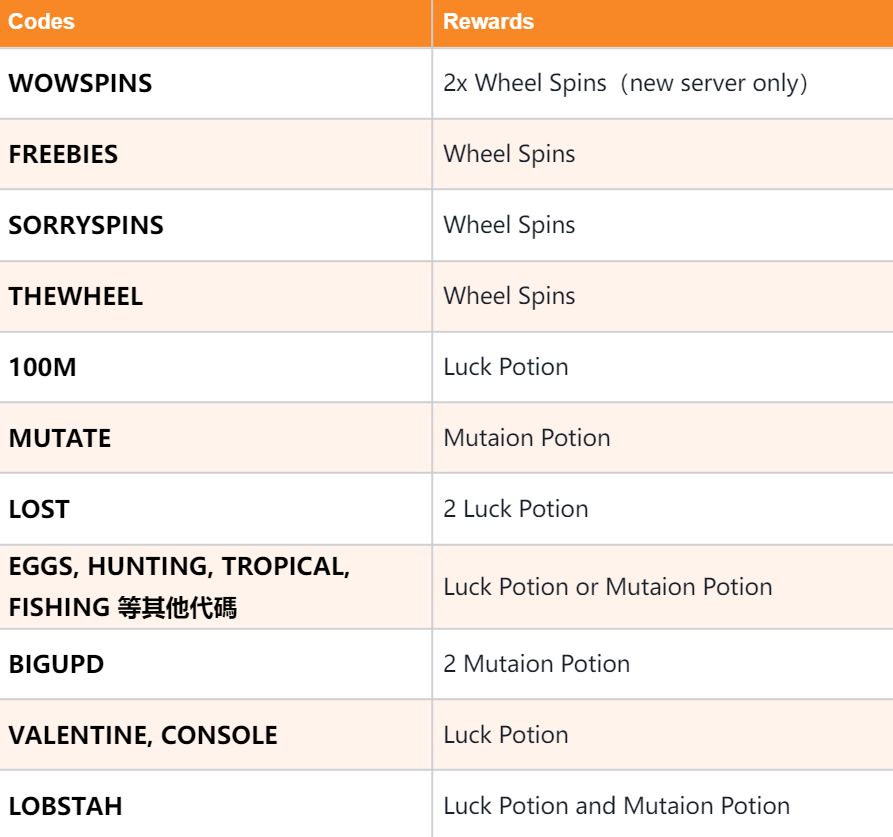

Recommendation: Directly copy and paste these codes to avoid spelling errors. Developers may delist or update redeem codes at any time, so it’s best to redeem them promptly.
II. Redemption Guide: Claim Your Rewards in One Minute
The Redemption Process, Revealed: It’s Actually Super Simple:
1.Open Roblox and enter the Fish It game.
2.Click the “Shop” icon (shaped like a shopping cart) at the top of the page.
3.Scroll to the bottom to the “Redeem Code Input Box” and paste a valid code.
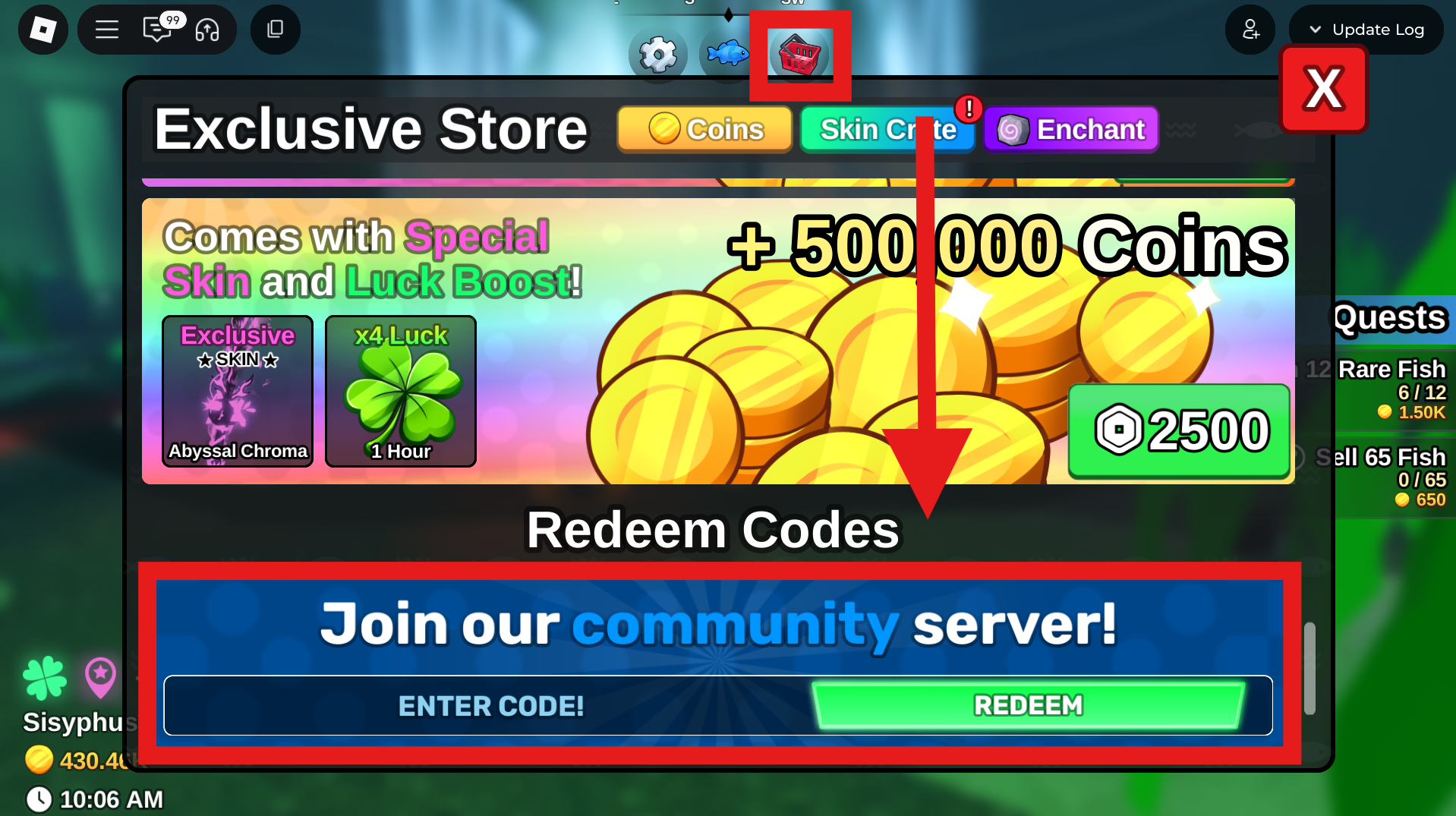
4. Click “Redeem” to get your rewards, which you can then check in your backpack or character interface.
5.If the redemption fails, please check:
- Is there a spelling error? Is the capitalization correct?
- Has the redeem code expired?
- Was your internet connection stable when you entered it?
III. A Quick Look at Common Player Pain Points: Why Do You Need Redeem Codes?
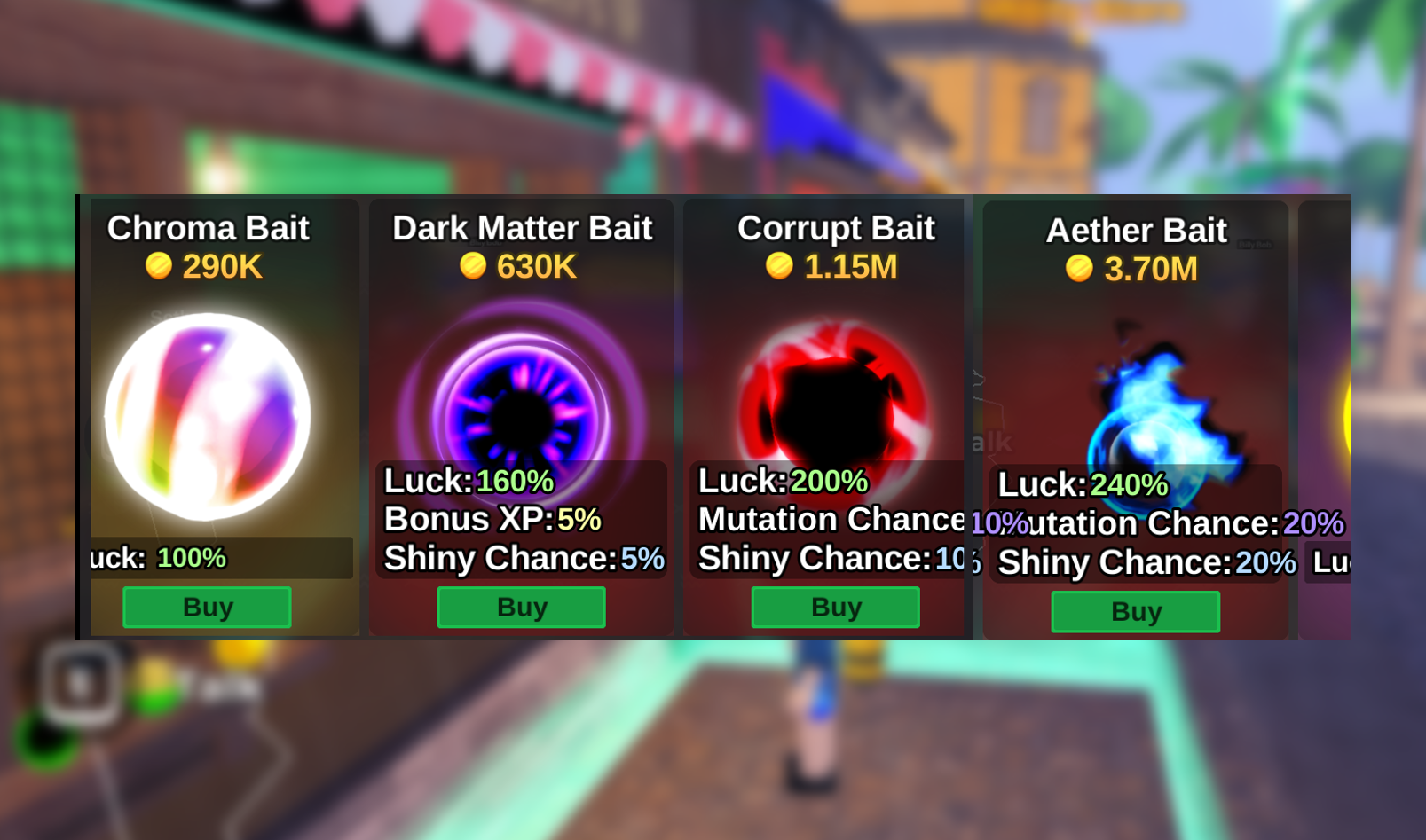
Resource Scarcity: Leveling up in fishing consumes a vast amount of resources; potions and spin chances are never enough.
Slow Progression: Upgrading floats and fishing rods lacks monetary support, and potions can increase the hook rate of expensive fish.
Recommended Essential Tool: UgPhone, the AFK Cloud Phone Artifact
If you find manual redemption and fishing operations too tiring, we recommend trying this tool:
No High-End Phone Needed: Fish It runs in the cloud, putting minimal stress on your device.
Automatic AFK Function: Works with an Auto-Clicker for cloud-based fishing, without worrying about being kicked offline.
Free Trial Plan: Supports a free trial, offers flexible switching, and is a zero-risk experience.
This allows you to enjoy your life while “farming fish in the background,” making it a true efficiency-boosting tool.
IV. Get Started in Two Minutes: Achieve Fully-Automatic AFK with UgPhone
Operational Flow:
1.Register and download the UgPhone Cloud Phone, then complete the installation.
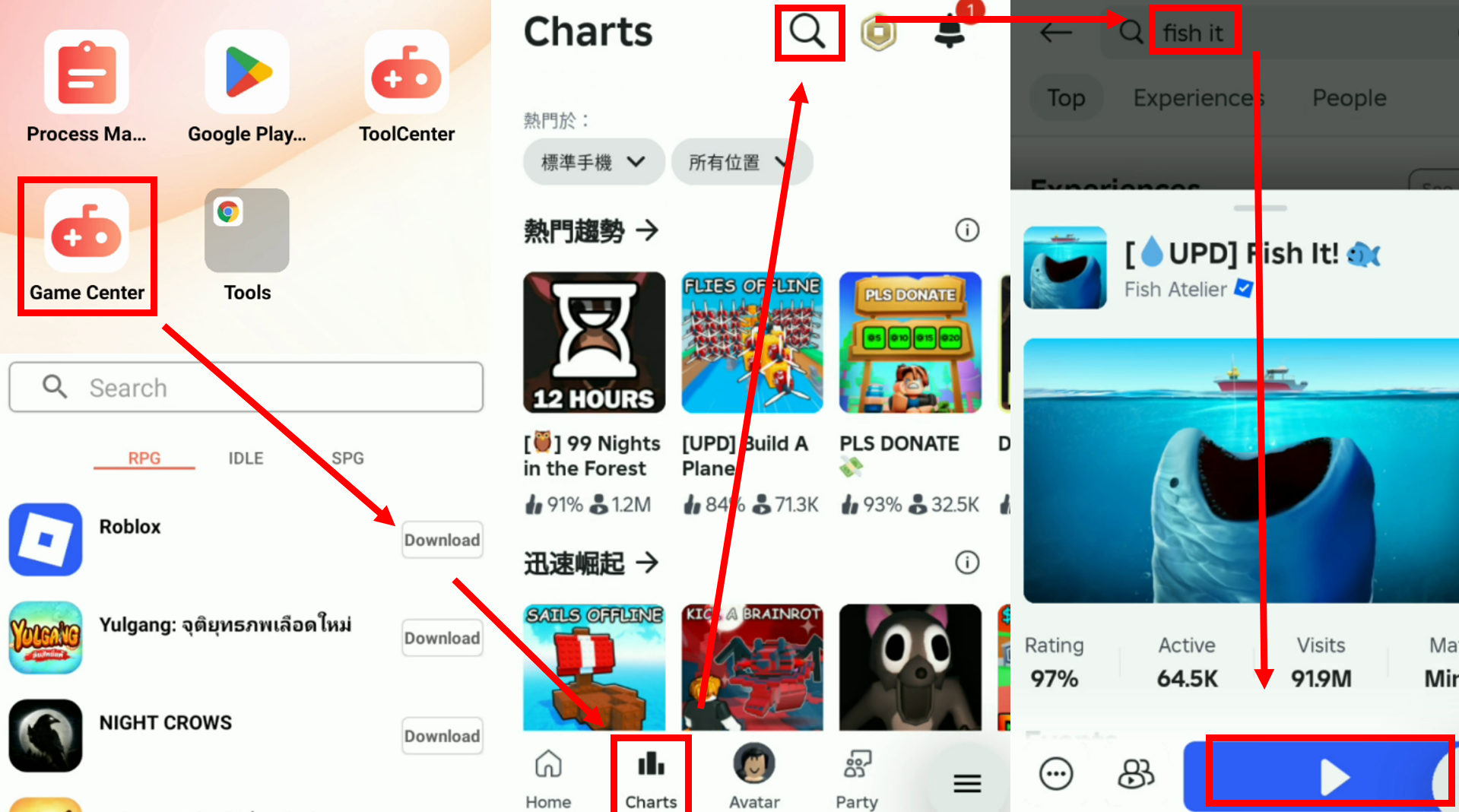
2.Install Roblox from GameCenter and launch Fish It.
3.Install the Auto-Clicker from the Tools Center.
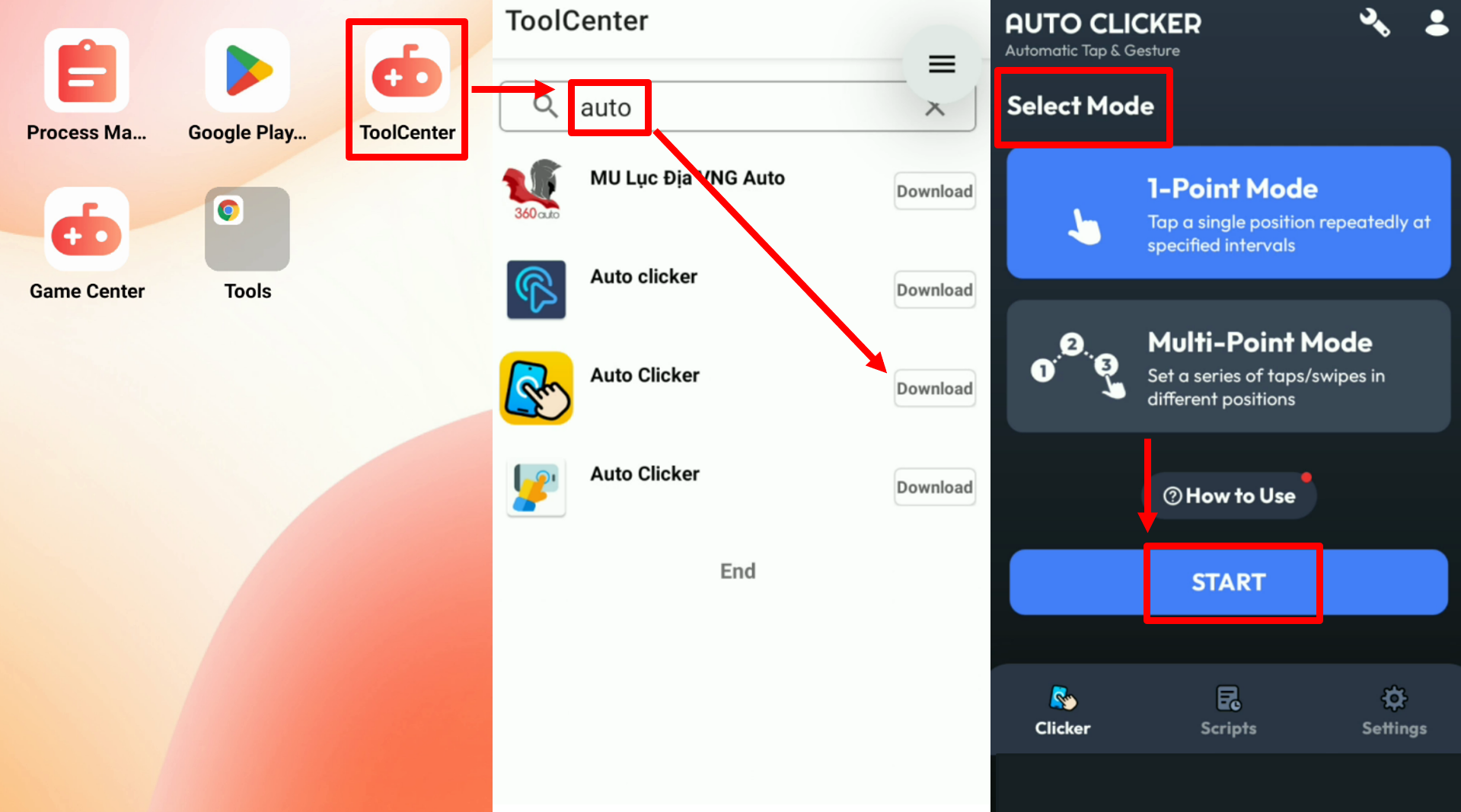
4. After entering the game, activate the “Multi-Point Mode” of the Auto-Clicker.
5. Set up the click points:
- Shop icon → Redemption box entrance
- Spin button / Cast fishing bait
- Use potions
6.AFK Even with Your Device Screen Off: Runs automatically 24/7 for a continuous stream of resources.
This way, you can truly achieve “fishing even while lying down”!
Free Your Hands for Easier Leveling!
Take action now:
Copy the valid redeem codes above and instantly redeem them in Fish It for free potions and spin chances!
Use UgPhone + Auto-Clicker to automate tedious operations and enjoy the leveling process with ease.
Make your Fish It journey more relaxed and efficient!









