



Bloxburg High-Income Job Guide: Earn Money Faster and Build Your Dream Home with UgPhone


In the world of Bloxburg, building your dream house requires solid income. Whether you choose to be a pizza delivery worker or a mechanic, picking a high-paying job is the fastest way to save money for building and decorating. However, if your device suffers from performance issues, lag, or overheating, working efficiently can become a real challenge.
This guide explains*Bloxburg’s job income ranking* and how *UgPhone Cloud Phone*solves these pain points—so you can earn faster and build better.
I. Bloxburg Job Income Ranking: The Numbers Speak
Bloxburg is known for its rich job system and clear income differences. Based on community-tested data, here are the current top-paying jobs:
🛵 Pizza Delivery — 25 coins/min (high income, requires quick reaction and stable network)
🛠️ Mechanic — 17 coins/min (steady profit, moderate difficulty)
✂️ Hairdresser — 15 coins/min (interactive, decent income)
🧹 Janitor / 🛍️ Cashier — 14 coins/min (simple, reliable work)
Lower-income jobs like Miner (9 coins/min) can be fun, but they are less efficient for money farming. These clear metrics help you identify the most profitable career path.
II. Common Pain Points When Working in Bloxburg
Players often face the following issues that directly affect income:
• Insufficient device performance
Bloxburg’s large map and detailed graphics cause overheating, lag, and even crashes—especially during long delivery runs.
• Hard to manage both “earning” and “building”
Switching between work mode and build mode is inconvenient on mobile, and progress stops once you exit the app.
• Network delay affects high-paying jobs
Pizza delivery income depends heavily on speed. Lag and an unstable connection can significantly reduce your earnings or even cause you to miss out on bonuses.
• Battery and storage limitations
Long sessions drain your battery fast and consume storage, making continuous grinding stressful.
III. UgPhone Cloud Phone: The Ultimate Solution for Bloxburg Players
UgPhone addresses all these challenges, transforming your Bloxburg experience.:
💻 Cloud-level Performance — Smooth and Stable
UgPhone provides high-performance cloud devices so the game runs smoothly at all times. No lag, no overheating, no crashes—maximum income every minute.
🏗️ Multi-Instance Operation — Earn and Build at the Same Time
Run Bloxburg 24/7 on Cloud Device A to keep earning.
Meanwhile, log in on Cloud Device B via your PC browser for comfortable building. This allows you to earn money in the background while focusing on construction in the foreground—maximizing your efficiency.
🌐 Low-Latency Network — Zero Mistakes in Time-Sensitive Tasks
UgPhone offers stable, low-latency cloud connections, ensuring perfect pizza delivery timing and no lost bonuses.
📱 24/7 Online — No Battery Worries
Even if your physical phone is off, your cloud device keeps running. You can check your progress from any device at any time, enabling true “offline farming” without draining your phone’s battery.
IV. How to Use UgPhone for Your Bloxburg Dream Town
Step 1: Create an *UgPhone Cloud Phone*account and log in.
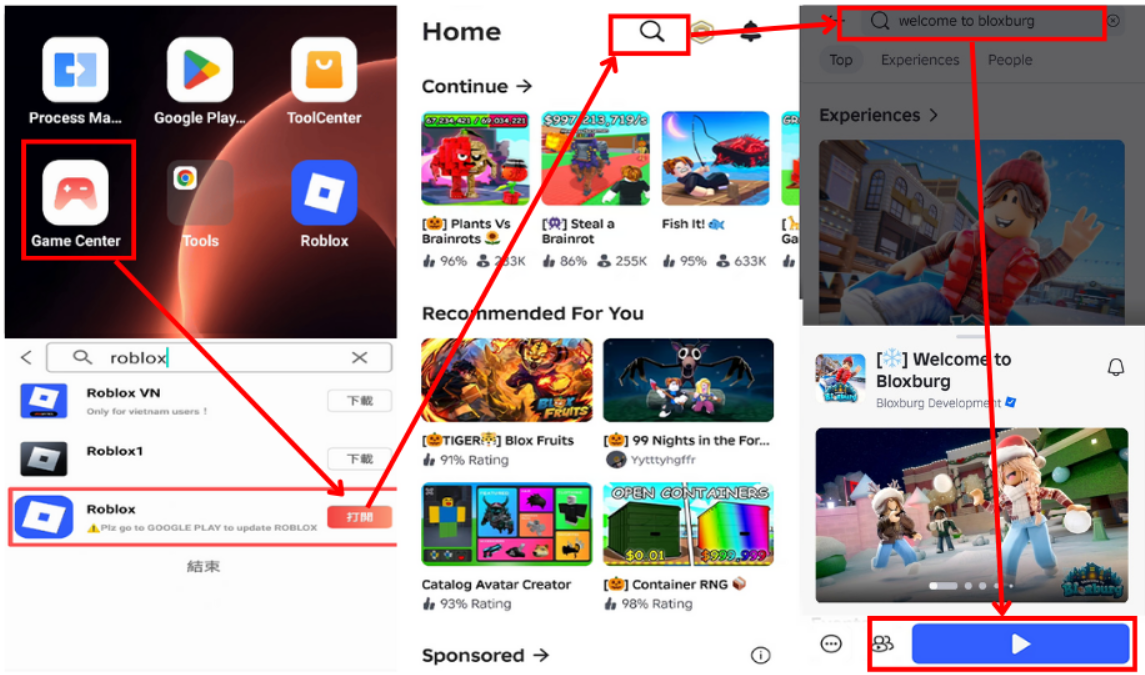
Step 2: Download Roblox on your UgPhone device, log into your Roblox account, and launch the game you want to level up in.
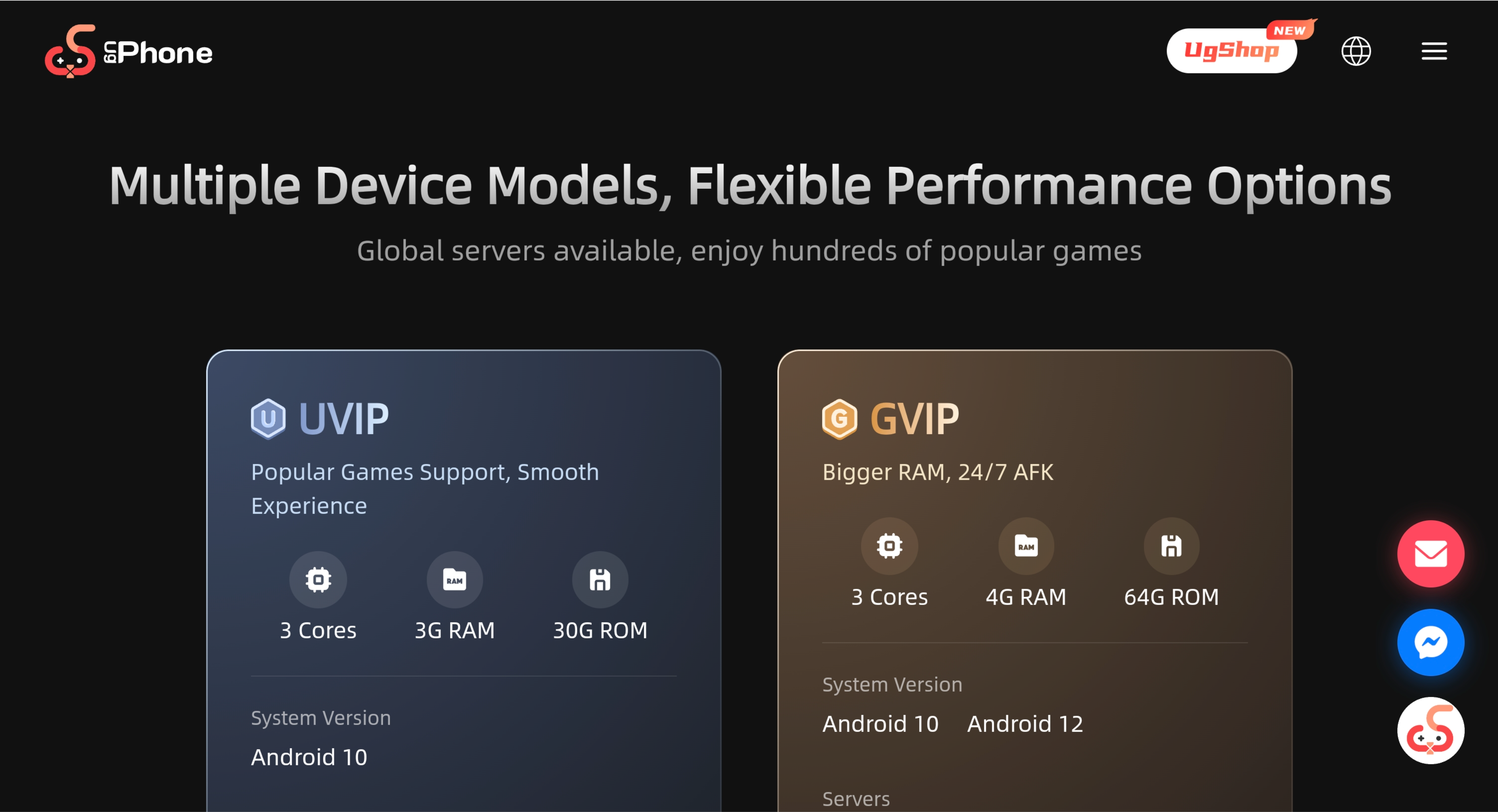
Step 3: Install a auto-clicker on UgPhone, configure it, and let it run inside your Roblox game.
Build Your Bloxburg Dream Home—Smarter and More Efficiently. Choosing high-income jobs like pizza delivery is your strategy.
Using UgPhone Cloud Phone is the tool that ensures this strategy works perfectly.
With smooth performance, multi-device operation, low latency, and 24/7 uptime, you can earn money efficiently and build without limits.
Start using *UgPhone Cloud Phone*today and say goodbye to lag, crashes, and battery worries—build your dream home in the smartest way possible!









