



Tired of the Grind? A Smarter Path to Level Up in Roblox


Staring at your phone, just 1,000 XP away from that next level, only to have it overheat or die? You’re not alone. The struggle to balance grinding with real life is a common frustration for Roblox players. But what if there was a way to keep progressing, even when you’re offline?
Now, a powerful combination changes everything: UgPhone Cloud Phone + Roblox XP/Level Up Calculator. Together, they give you a 24/7 smart leveling system that works even when you’re offline.
I. What Is the Roblox XP/Level Up Calculator?
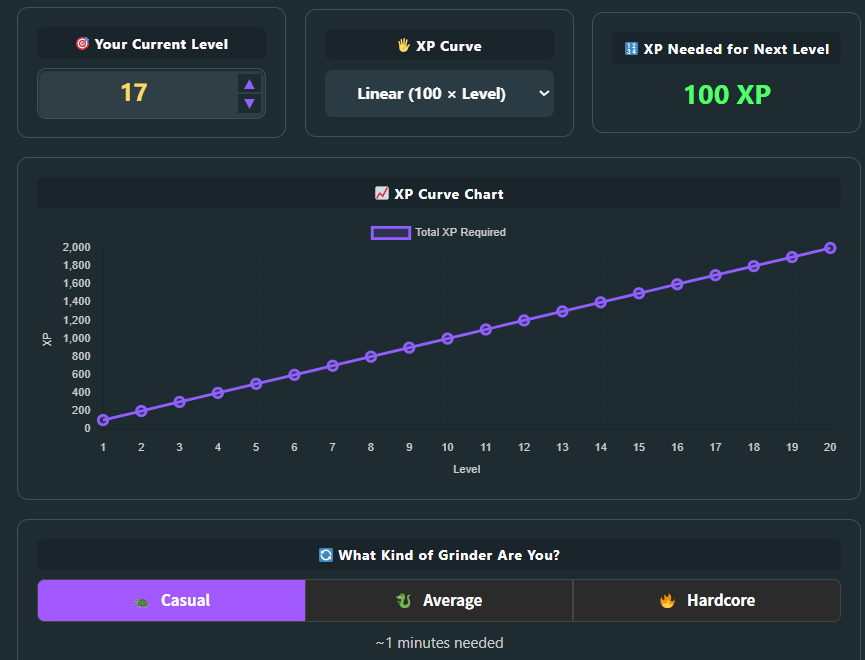
It’s a simple, accurate tool designed for Roblox players. Enter your current level, choose your XP growth curve (linear, quadratic, or exponential), and It calculates and displays the exact XP required.
It also shows your progress in clear, easy-to-read charts — serving as your strategic planner for efficient leveling.
II. Why Do Players Know Their XP Target but Still Struggle to Level Up?
However, knowing your target is only half the battle. Even with a perfect plan, players often run into these common obstacles:
●Device damage: phones overheat, batteries wear out quickly
●No time to stay online: people need to sleep, work, study
●Hard to manage multiple accounts: leveling several characters is nearly impossible
●Unstable network: one disconnect can ruin hours of AFK grinding
These issues make it difficult to turn your XP plan into real progress.
III. Why UgPhone Is the Ultimate Tool for Dedicated players
UgPhone solves these problems with cloud-based Android devices that run 24/7:
1.Safe — cleaner and more reliable than traditional emulators, reducing ban risks
2.No device wear — no more overheating or battery damage to your real phone
3.24/7 online — your cloud instance keeps running even when your own device is off
4.Multi-instance support — run multiple Roblox accounts at the same time to maximize progress
5.Fast, stable network — multiple datacenter nodes ensure smooth gameplay
IV. Smart Planning + Automatic Execution: The Perfect Workflow
Step 1: Create an*UgPhone* account and log in.

Step 2: Download Roblox on your UgPhone device, log into your Roblox account, and launch the game you want to level up in.
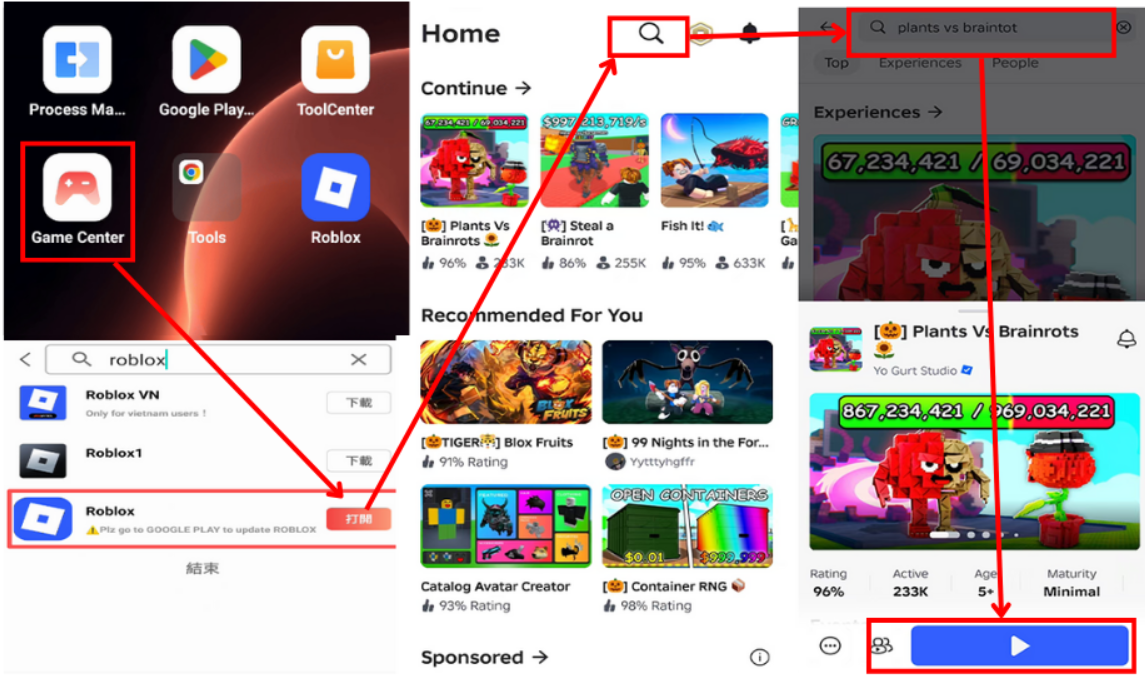
Step 3: Plan with the XP Calculator + set up an auto-clicker
1.Open the XP Calculator
2.Enter your level (e.g., Level 17)
3.Select the XP curve (e.g., linear)
4.Get your exact XP requirement (e.g., 100 XP to next level)
5.Install a auto-clicker on UgPhone, configure it, and let it run inside your Roblox game.
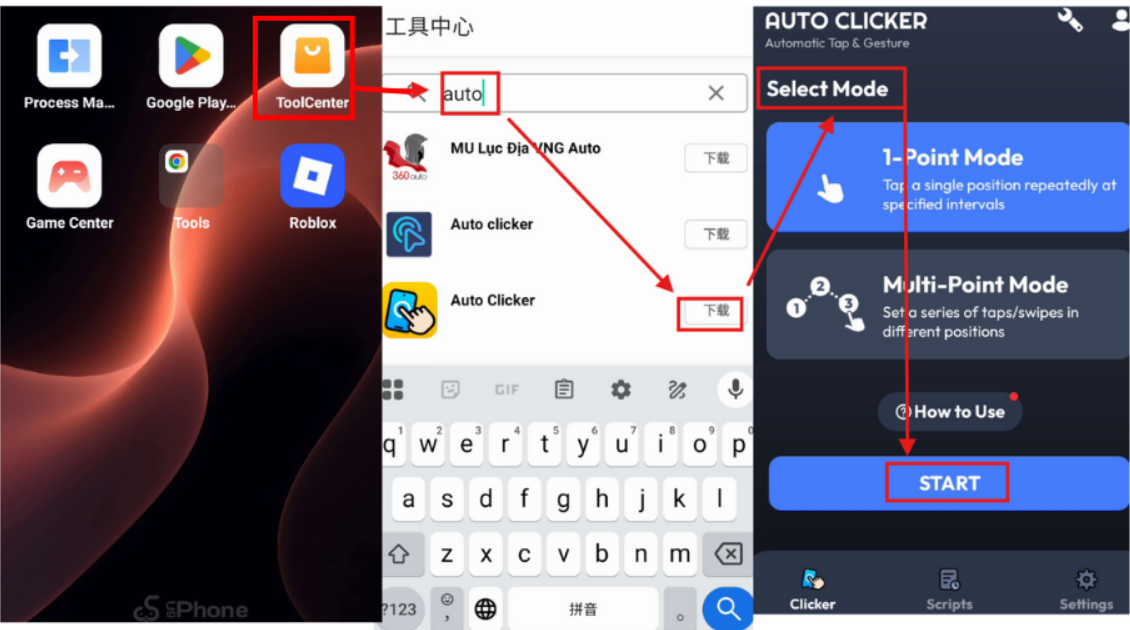
Think of the XP Calculator as your strategic command center, outlining the path to success. UgPhone, then, is the unstoppable engine that executes the plan around the clock.
Whether you want to catch up to friends or climb to the top of your server, this combo gives you a huge advantage.
Eliminate the guesswork and overcome device limitations for good. Start leveling the smart way — plan your XP path with the calculator, and let *UgPhone Cloud Phone*handle the grinding for you.









