Grow a Garden 2 AFK Guide: Using UgPhone for AFK Farming and Night Garden Protection

Grow a Garden 2 is not just a simple game of planting, harvesting, and selling crops. Seed Shop restock, weather events, rare events, nighttime stealing, and multiplayer server environments all affect the growth rhythm of your garden.
Crops do support offline growth, but this does not mean all players should just leave the game. For players who only want to farm steadily and log in infrequently to harvest, a private server is safer, and there is no need to stay online for extended periods; but when your goal is to wait for events like the Gold Moon event and Rainbow Moon event, observe rare seed refreshes, or keep a high-value crop in a public server, maintaining online status in the server still has practical value.
This is exactly the significance of public server AFK farming: It is not to make crops grow faster, but to keep your account operational when key events, seed refreshes, and nighttime risks occur.
Using UgPhone, you can run Roblox in the cloud and use an Auto Clicker to help keep the Roblox session active. This way, you don’t need to keep your main phone screen on all night, and you can continue to stay in the target server.
I. Private servers are safer, so why AFK in a public server?
A private server is suitable for safely managing a garden. If you don’t care about multiplayer events, aren’t preparing to test the player count in the server mechanics, and have no high-value event goals, then a private server combined with offline growth is enough: plant crops, exit the game, wait for them to mature, and come back to harvest.
But a public server also has value that a private server cannot completely replace. During rare events like the Gold Moon event and Rainbow Moon event, some player communities believe that a higher player count in the server may increase Gold Seed or Rainbow Seed spawn opportunities. This mechanism may change with version updates, and it doesn’t mean every additional account brings a fixed return; but for players who want to observe events, camp for a rare seed, or test multiplayer server performance, staying in a public server makes more sense.
Public server AFK farming is mainly suitable for the following situations:
- Waiting for rare events: You don’t want to log back in, load the map, and find a server after a Gold Moon event, Rainbow Moon event, or weather event appears;
- Observing seed refreshes: When the account is online, you can quickly check the shop, map, or rare seed opportunities during events;
- Keeping your server spot: After a session interruption, you might not be able to rejoin the original server with a high player count and ongoing events;
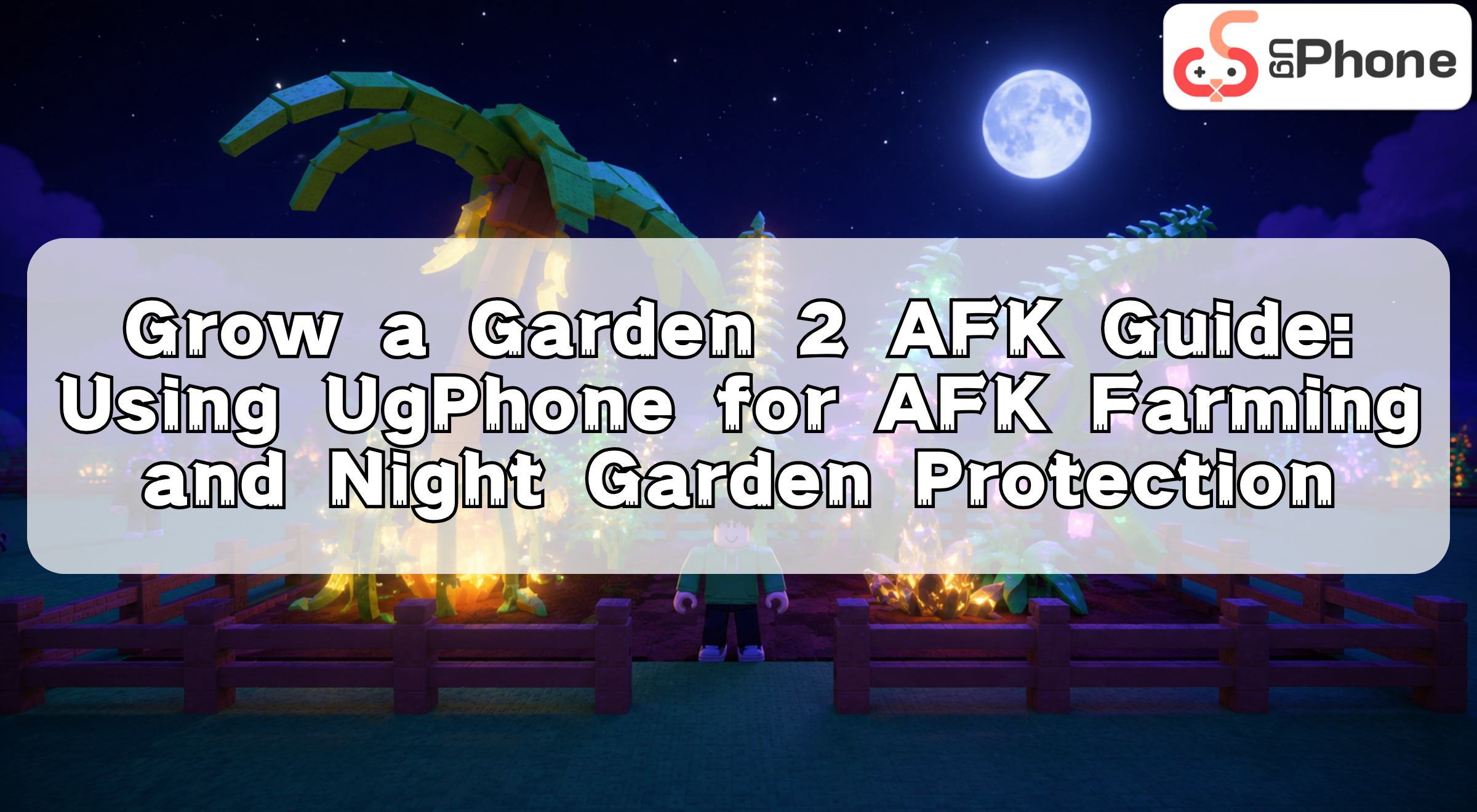
- Protecting high-value crops: Before night falls, the account can stay in its own garden area, reducing the management gap after leaving the server;
- Participating in multiplayer environment tests: Observe whether there is a repeatable relationship between public server player count, events, and seed refreshes.
Therefore, a private server solves “security”; public server AFK farming solves “opportunity and response speed.” Players should choose based on their gameplay goals, rather than AFK farming just for the sake of it.
II. Why use UgPhone for Grow a Garden 2 AFK farming?
Letting a main phone run Roblox for a long time usually means heating, battery drain, increased memory usage, and the hassle of logging back in after a background interruption.
UgPhone can run Roblox on a cloud device, making AFK farming more suitable for long-term management.
1. Does not occupy the main phone
The game runs inside the UgPhone cloud phone. Your main phone doesn’t need to keep Roblox running for a long time and can continue to be used for chatting, working, watching videos, or playing other games.
2. Reduce device heating and battery drain
Public server AFK farming may last for hours. Running Roblox in the cloud can reduce the heating and battery drain pressure caused by running the game on a physical device for a long time.
3. Check remotely at any time
When a Gold Moon event, Rainbow Moon event, weather event, or night phase occurs, you can check remotely on the Roblox session at any time through UgPhone, without having to log back into the account or find a server.
4. Auto Clicker helps keep the Roblox session active
An Auto Clicker can click at a fixed click interval in a blank area of the screen, helping to reduce disconnection risk after a long period of inactivity.
Its role is to maintain online status, not to automatically judge a rare seed, automatically buy items, or replace your key decisions.
III. How to set up UgPhone Auto Clicker for AFK farming?
Step 1: Install Roblox in UgPhone
- Open Game Center or Google Play Store;
- Search for and install Roblox;
- Log into your Roblox account;
- Enter Grow a Garden 2;
- Confirm the character is in their own garden area or target event area.
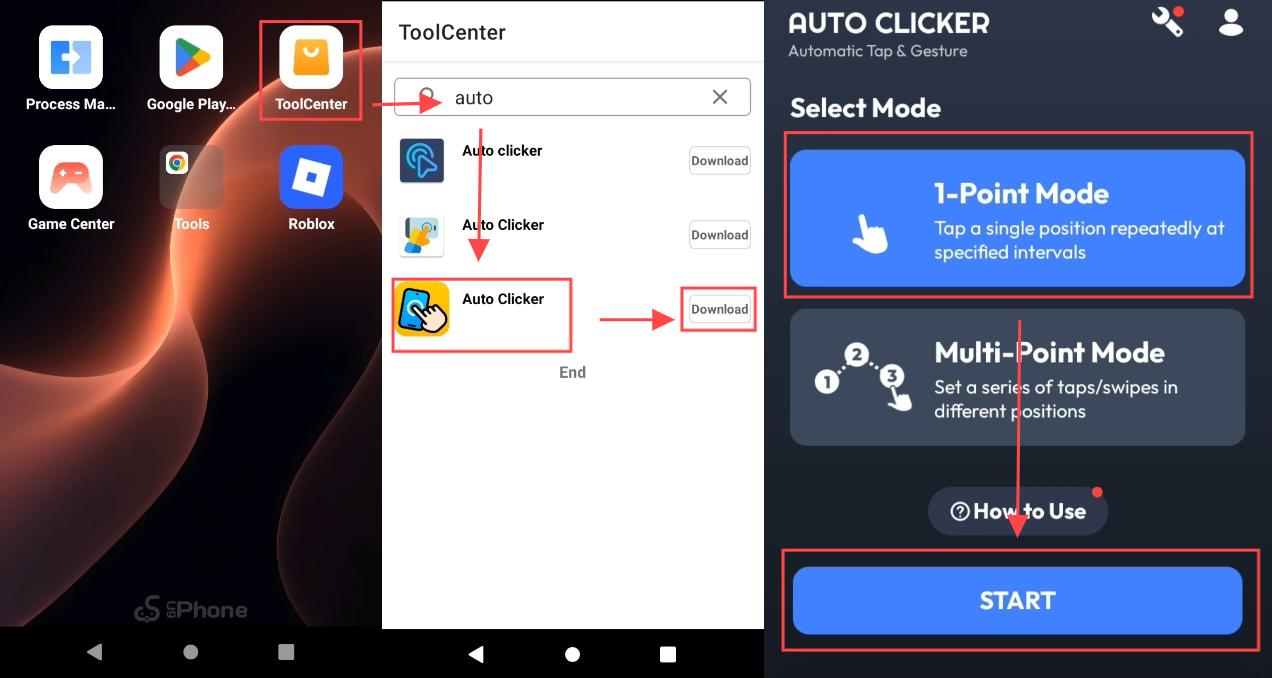
Step 2: Install Auto Clicker
- Open UgPhone’s Tool Center;
- Search for and install Auto Clicker;
Step 3: Choose 1-Point Mode
It is recommended to use 1-Point Mode.
Place the click point in a blank area of the screen where it is unlikely to trigger the shop, sell, teleport, character movement, or interaction buttons. Do not set up complex loops or high-frequency clicks right from the start, because the shop, events, and UI status in GAG2 will change, and incorrect clicks may affect normal operations.
It is recommended to start with low-frequency clicks and test for 20–30 minutes:
- Observe whether the character has accidental touches or movements;
- Confirm that it will not open the shop, sell, or teleport interfaces;
- Confirm that the Roblox session remains normal;
- Confirm that in-game events are not interfered with by clicks.
💡 AFK Tip: AFK farming does not require high-frequency clicks. A click interval of 30 seconds (30000 milliseconds) is recommended. Low-frequency, stable clicks are more suitable to stay online for extended periods and can also reduce unnecessary interference with the screen.
IV. Nighttime AFK: How to reduce risks for high-value crops?
Nighttime stealing in public servers is an issue that AFK players must consider.
If you have a mutated crop, rare seed products, or guild quest resources in your garden, it is recommended to complete the following checks before overnight AFK farming:
- Evaluate assets: Judge whether the current crops are worth keeping;
- Sell in time: Crops that are not worth the risk of waiting should be sold before AFK farming;
- Return to the garden: Let the account stay in its own garden area to prevent other players from nighttime stealing;
- Enable low-frequency clicks: Use an Auto Clicker to help keep the Roblox session active;
- Reduce unrelated operations: Do not frequently leave the garden, switch servers, or open complex interfaces during AFK farming;
- Check status at the end: After reopening the cloud phone, check whether the crops, garden, and server status are normal.
In the night garden protection methods currently used by the community, keeping the account in its own garden area is an important practice to reduce nighttime risks. AFK farming in a multiplayer server allows you to continue staying in the server to wait for events without occupying your main phone for a long time, and reduces the probability of session interruption and the cost of AFK management.
If you want to use UgPhone to further improve AFK farming efficiency in Grow a Garden 2, you can use multi-instance and group control to manage multiple accounts. For details, see: Grow a Garden 2 Multi-Account Guide: Using UgPhone Group Control for Multiple Roblox Accounts to Wait for Rare Events on the Same Server
Are you still worried about your main phone heating up and draining battery during long AFK sessions, or frequent session interruptions during key events? Download UgPhone now and claim your free trial benefits! Run Grow a Garden 2 in the cloud, use an Auto Clicker to help stay online for extended periods, free up your main phone, and save more energy for truly important seeds, events, and garden decisions.